
HIPAA COMPLIANCE FRAMEWORK
HIPAA Dashboard
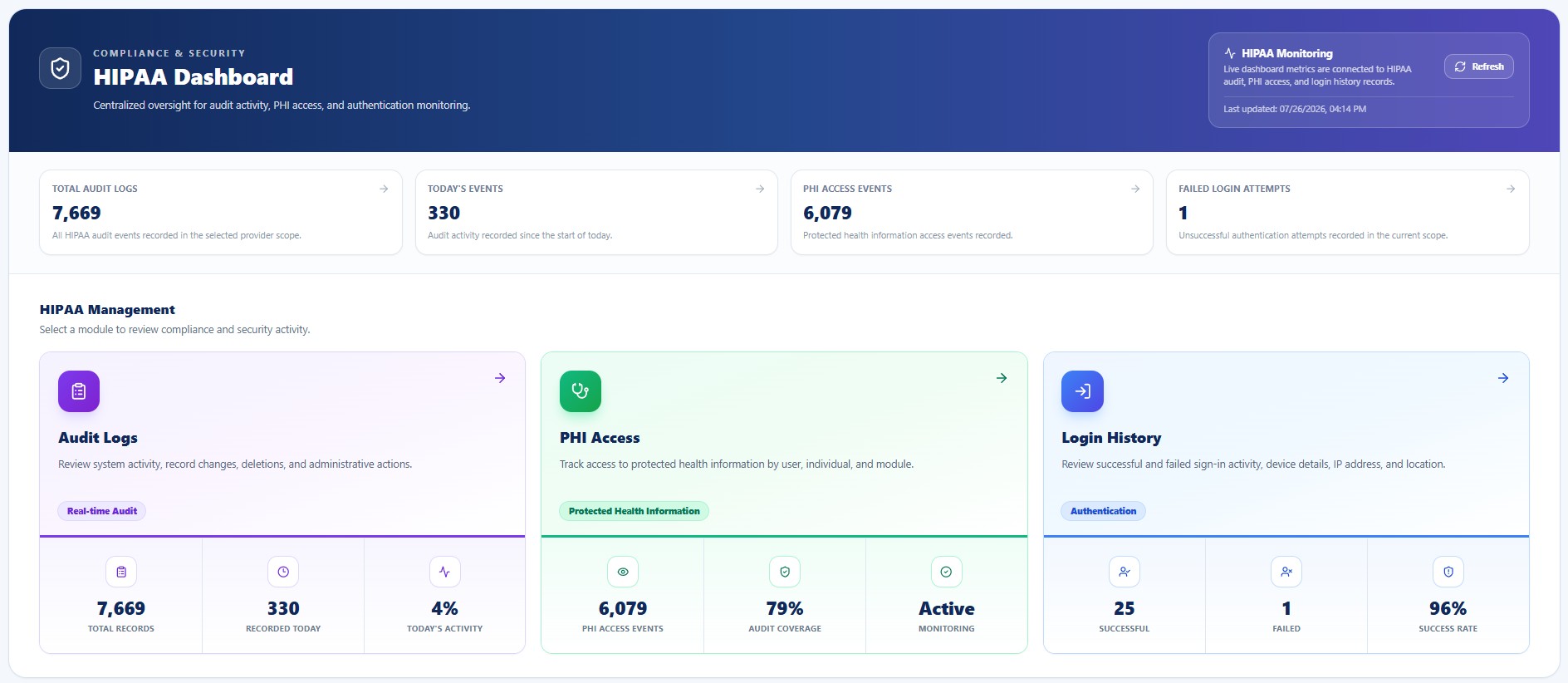
Explains the HIPAA Dashboard used to review compliance activity, PHI access, login history, security events, support sessions, exports, and incidents.
These pages describe True Care System functionality and operating expectations. They do not replace Provider policies, legal advice, risk analysis, workforce training, contracts, or regulatory obligations. Use minimum-necessary access and protect PHI in screenshots, exports, tickets, messages, and reports.
Purpose
Explains the HIPAA Dashboard used to review compliance activity, PHI access, login history, security events, support sessions, exports, and incidents.
System Screenshot
Core Requirements
Compliance Summary
Review current operational indicators across audit, access, authentication, security, and incident workflows.
PHI Access Activity
Monitor supported PHI access events by Provider, user, role, Individual, module, action, and purpose.
Security Signals
Review suspicious login activity, blocked access, policy exceptions, and security events.
Support Oversight
Review approved support sessions, impersonation context, duration, and material actions.
Incident Awareness
Track open incidents, severity, status, owner, and follow-up.
Operational Review Checklist
| Review Area | Expectation |
|---|---|
| Provider Scope | Confirm the correct Provider before viewing, changing, exporting, or investigating records. |
| Authorized Purpose | Confirm the user’s role, approved purpose, and minimum-necessary scope. |
| Evidence | Retain relevant timestamps, actors, targets, identifiers, IP addresses, devices, reasons, and results. |
| Escalation | Escalate unexpected, denied, suspicious, cross-Provider, bulk, or high-risk activity. |
| Documentation | Record decisions, corrective action, validation, and required follow-up. |