
BEHAVIOR SUPPORT SERVICES
BSS
The BSS module supports case management, assessments, documentation, daily service records, supervisor review, billing readiness, functional behavior assessment, and monthly progress reporting.
BSS records may contain highly sensitive behavioral, clinical, family, safety, assessment, incident, and service information. Access must follow the Provider's HIPAA policies, role-based access controls, minimum necessary standard, and applicable professional requirements.
To protect Individuals, Provider-specific clinical procedures, and the proprietary workflow of True Care System, selected advanced BSS functions are intentionally not described in full within this public documentation.
Official Provider customers receive direct role-based training for licensed or otherwise qualified BSS professionals, supervisors, BCBA personnel, and other staff formally authorized by the Provider.
True Care System supports documentation and operational workflows. Behavioral assessment, clinical interpretation, treatment recommendations, crisis planning, supervision, and approval must be completed only by personnel working within their authorized role, credentials, and Provider policies.
BSS Menu
The BSS menu contains four primary workspaces for oversight, Individual case management, case-detail documentation, and daily service operations.

| Menu | Purpose | Documentation |
|---|---|---|
| Dashboard | Review active cases, daily-service activity, supervisor review, approved units, billing readiness, workload, and recent activity. | Open guide |
| Individual Cases | Manage the list of Individuals receiving BSS services and track case number, level, dates, and status. | Open guide |
| Case Detail | Open the complete BSS case chart, including profile, documents, face sheet, assessments, FBA, and monthly progress information. | Open guide |
| Daily Services | Open the complete Daily Services workflow for Daily Log, Supervisor Review, and Billing Review. | Open guide |
BSS Workspaces
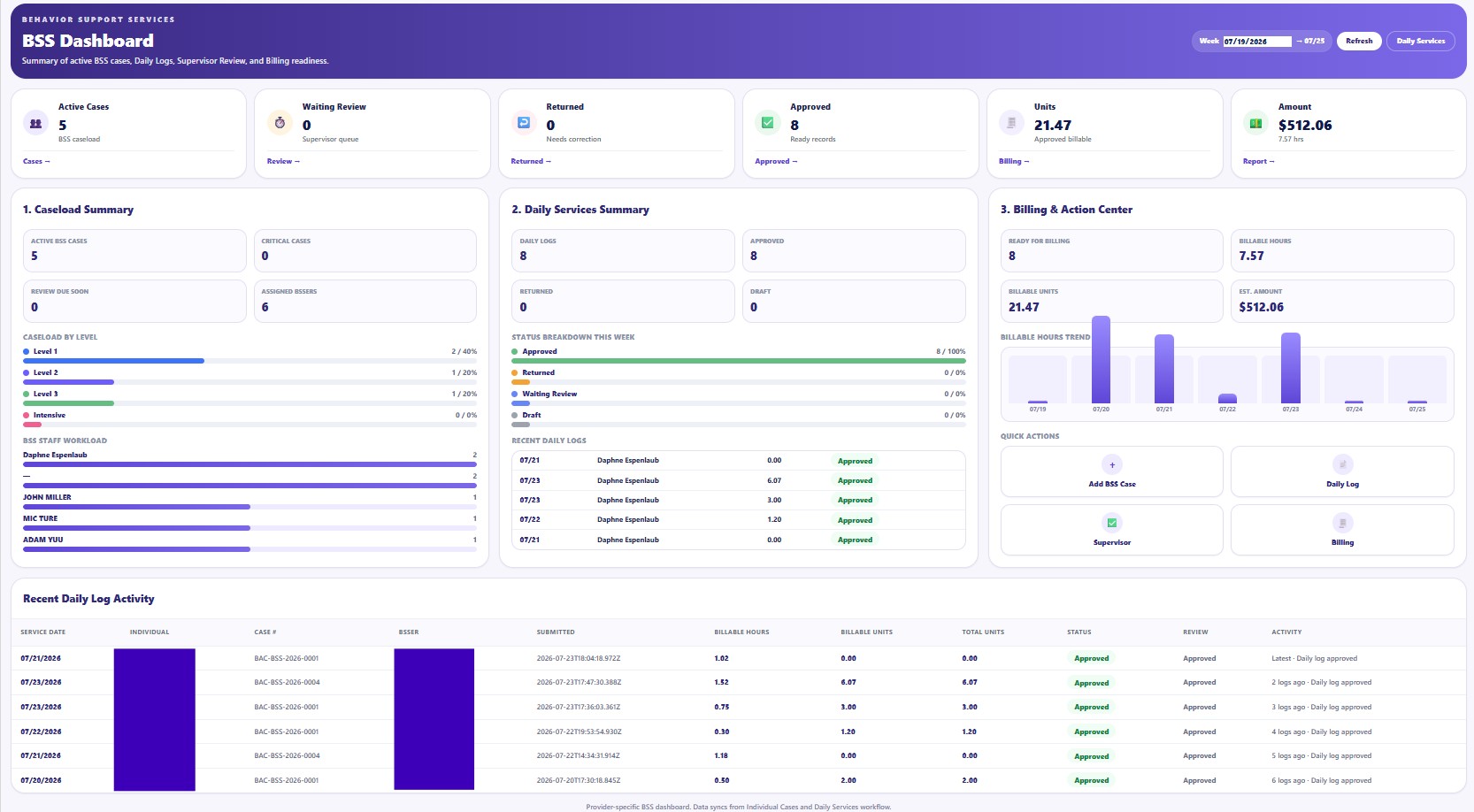
Dashboard
Displays active cases, review queues, approved logs, billable units, estimated amounts, workload, and recent activity.
Open Dashboard guide →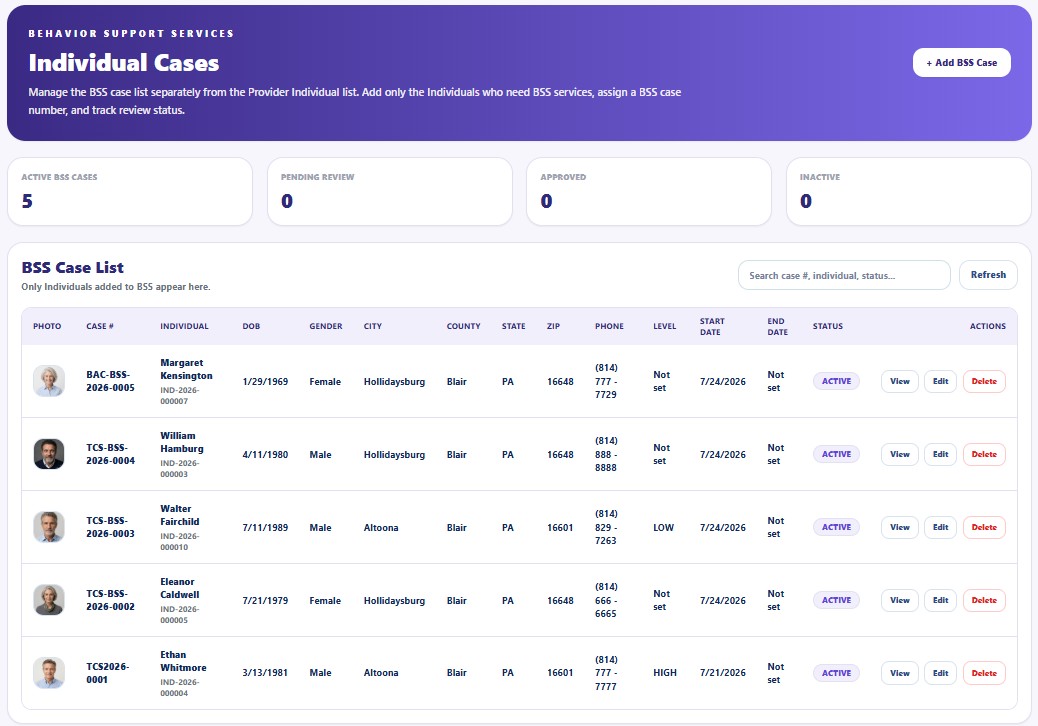
Individual Cases
Maintains the Provider's BSS caseload separately from the general Individual list.
Open Individual Cases guide →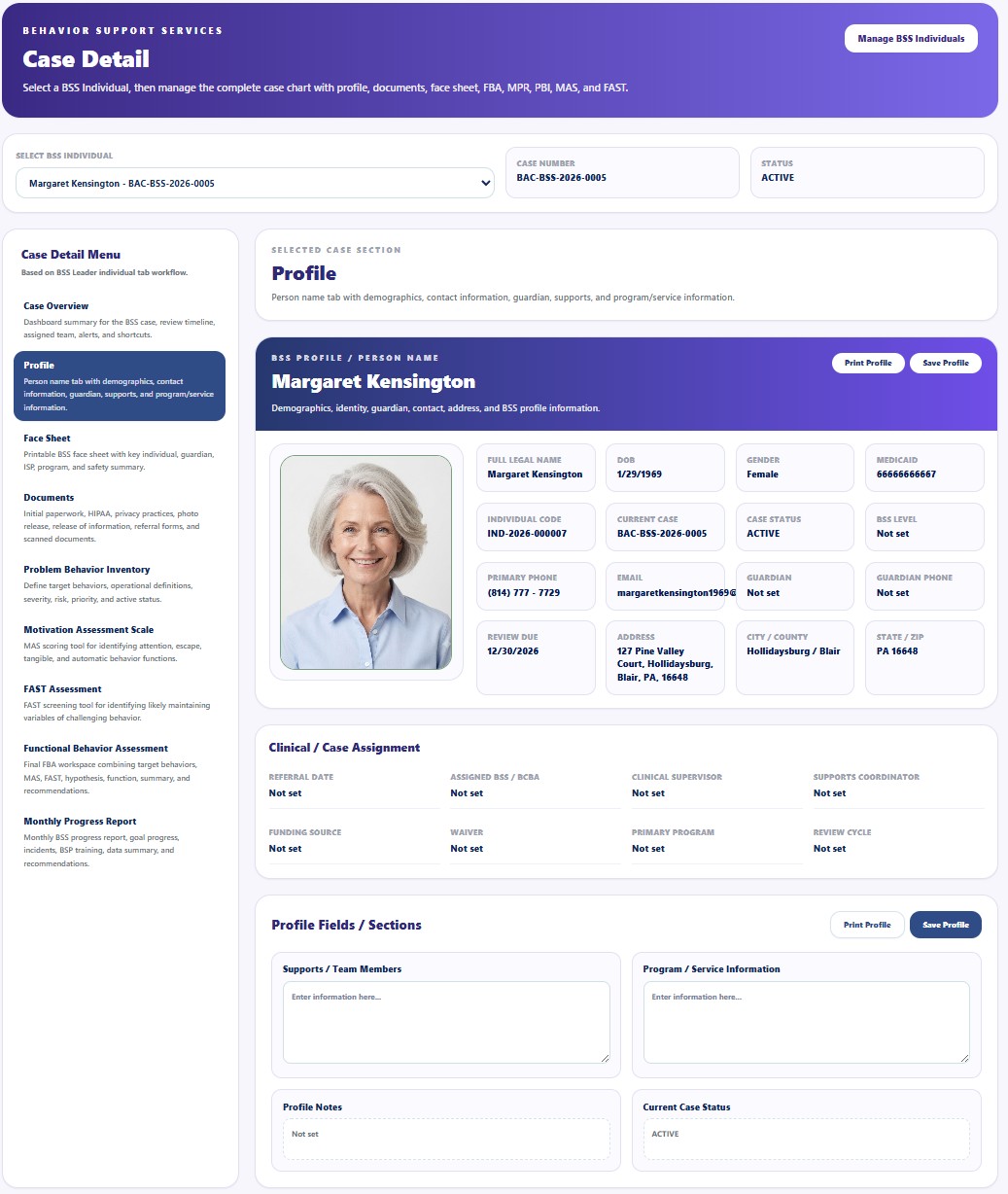
Case Detail
Provides the central case chart for profile, documents, assessments, FBA, and monthly progress reporting.
Open Case Detail guide →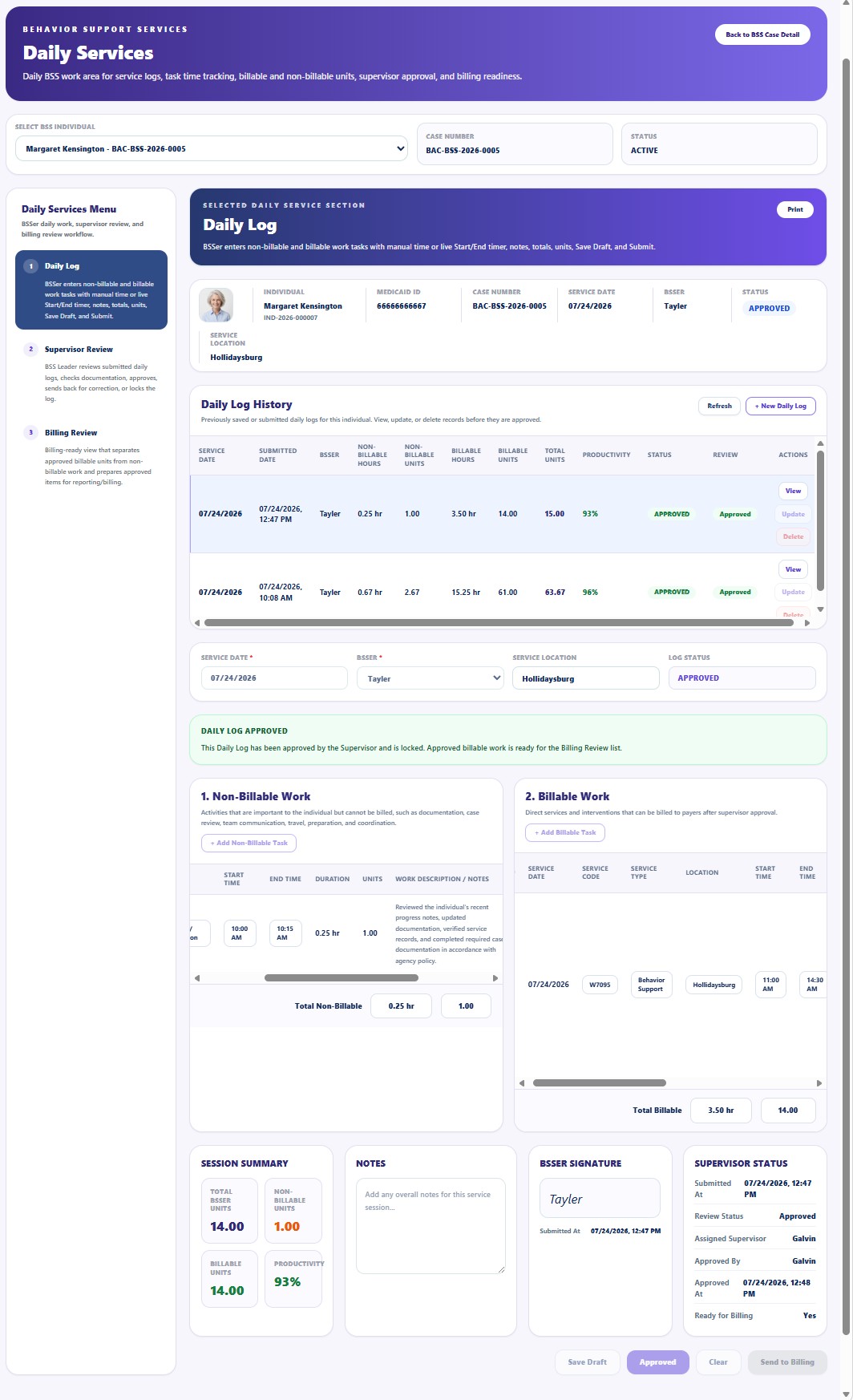
Daily Services
Opens the connected Daily Log, Supervisor Review, and Billing Review workflow.
Open Daily Services guide →Daily Services Workflow
Daily Services is organized into three connected workspaces. Each workspace has a separate guide so BSS staff, supervisors, and billing personnel can follow the correct role-based workflow.
| Daily Services Area | General Purpose | Documentation |
|---|---|---|
| Daily Log | Record non-billable and billable work, service time, units, narratives, notes, signatures, draft status, and submission information. | Open guide |
| Supervisor Review | Review submitted Daily Logs, verify documentation, return incomplete records, approve completed work, and release approved billable services for Billing Review. | Open guide |
| Billing Review | Review approved billable work, select the reporting week, verify units and rates, and prepare the weekly billable report. | Open guide |
Daily Log
BSS staff document service activities, separate billable from non-billable work, and submit completed records for review.
Open Daily Log guide →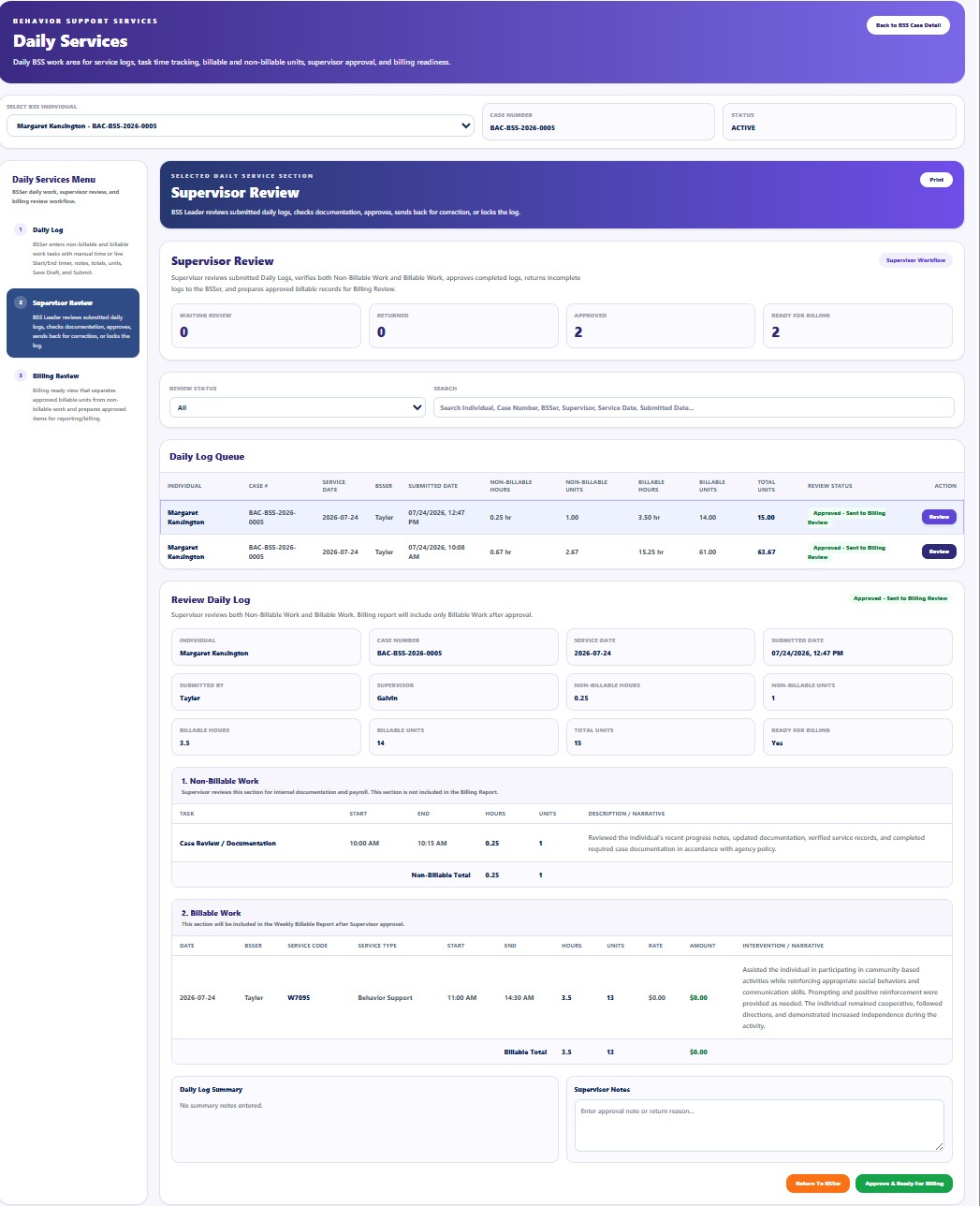
Supervisor Review
Supervisors verify both work sections, review narratives and units, approve complete logs, or return records for correction.
Open Supervisor Review guide →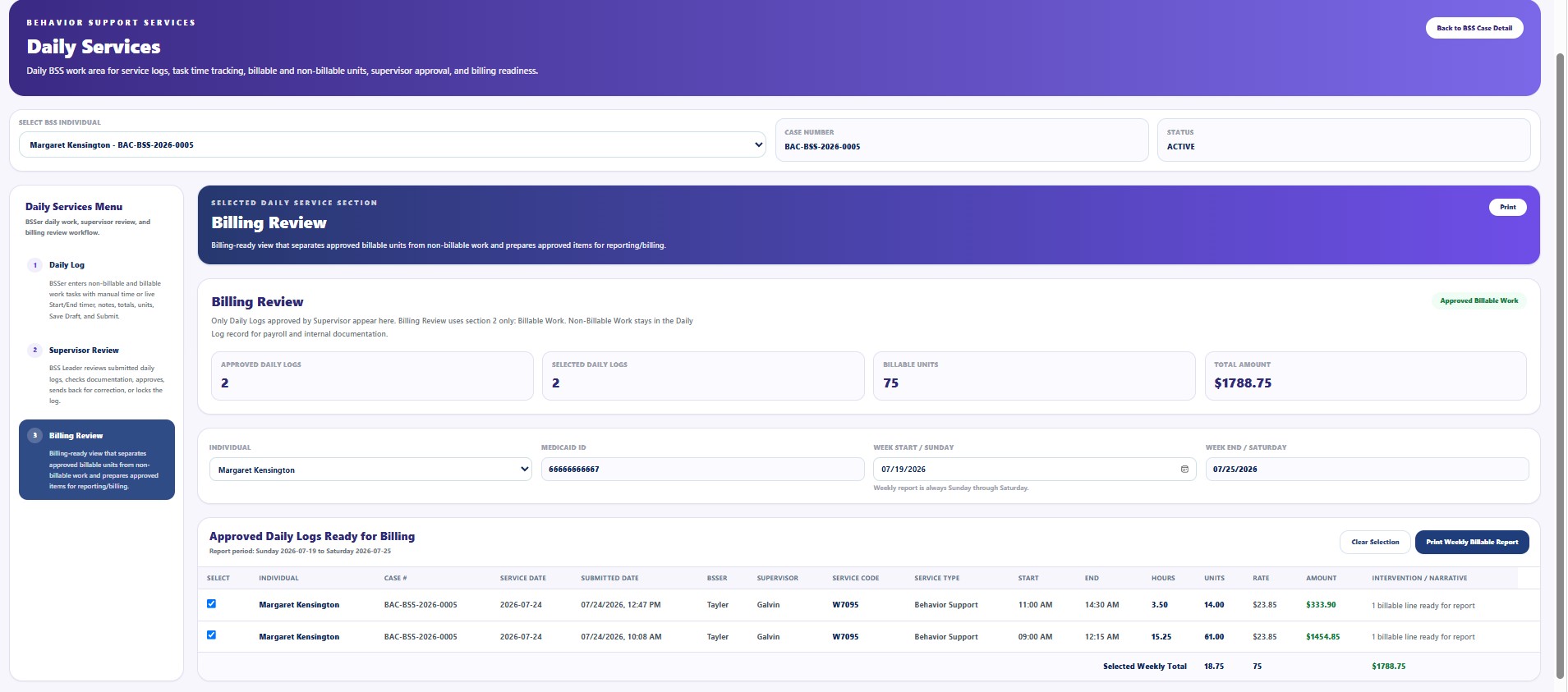
Billing Review
Billing staff review only approved billable work and prepare selected records for the weekly billing report.
Open Billing Review guide →Daily Services permissions and actions vary by role. Detailed approval criteria, correction handling, rate validation, payroll treatment, billing controls, and Provider-specific operating procedures are reserved for direct implementation training with authorized Provider customers.
Case Detail Navigation
Case Detail contains specialized BSS areas for maintaining the complete behavioral support record.
| Case Detail Area | General Purpose | Documentation |
|---|---|---|
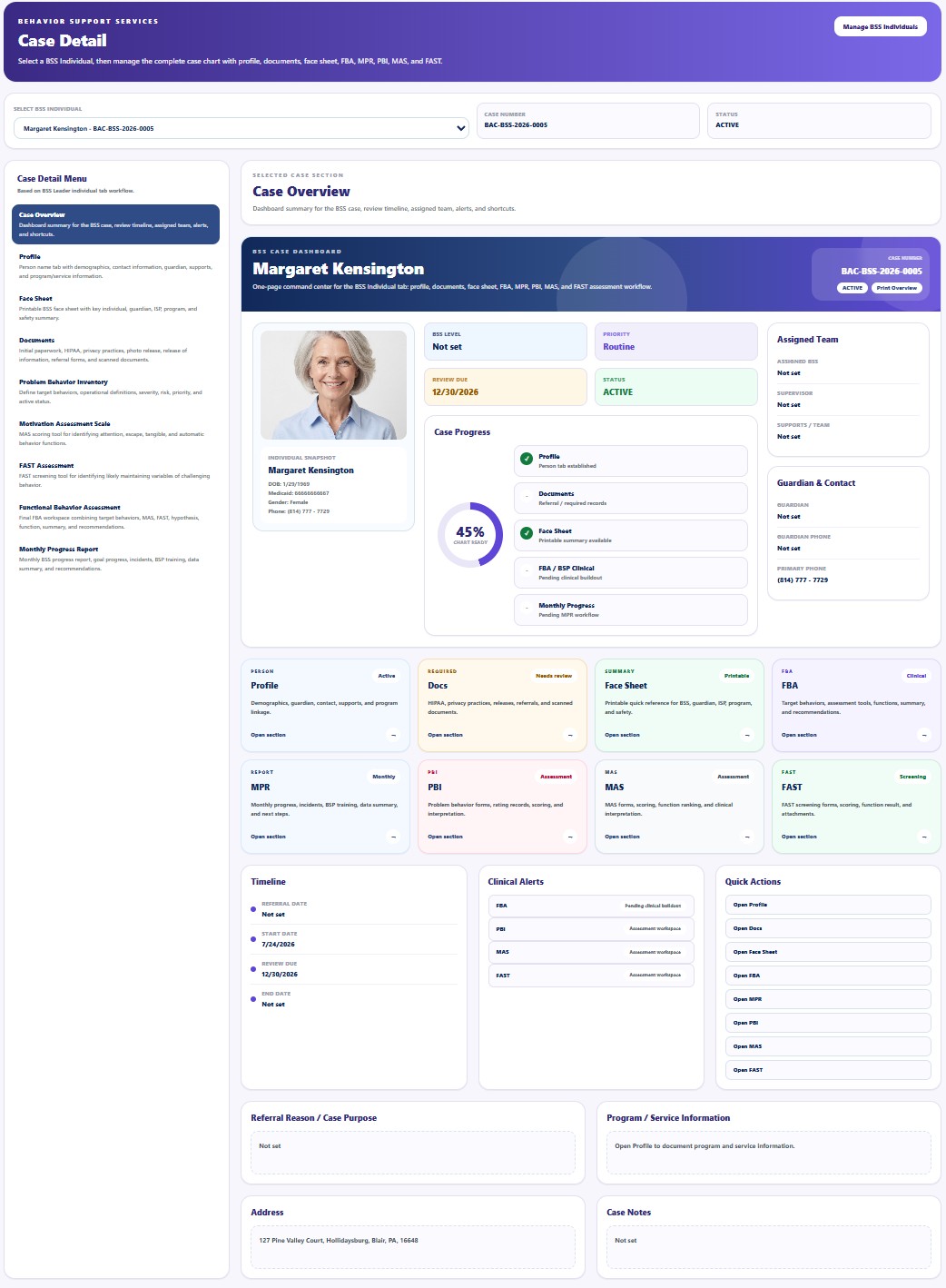
| Case Overview | Displays the case summary, progress, review dates, assigned team, alerts, and shortcuts. | Open guide |
| Profile | Maintains demographics, contacts, guardian, supports, service information, and case assignment. | Open guide |
| Face Sheet | Provides a printable reference containing key Individual, guardian, ISP, program, safety, and emergency information. | Open guide |
| Documents | Tracks paperwork, HIPAA and privacy records, releases, referrals, assessments, plans, and scanned files. | Open guide |
| Problem Behavior Inventory | Defines target behaviors, operational definitions, severity, risk, priority, and status. | Open guide |
| Motivation Assessment Scale | Supports MAS scoring for attention, escape, tangible, and automatic behavior functions. | Open guide |
| FAST Assessment | Supports FAST screening for likely maintaining variables of challenging behavior. | Open guide |
| Functional Behavior Assessment | Combines target behaviors, MAS, FAST, observation, ABC data, hypothesis, function summary, and recommendations. | Open guide |
| Monthly Progress Report | Records goals, behavior trends, incidents, BSP implementation, training, participation, data summary, and recommendations. | Open guide |
Selected Case Detail Screens
Case Overview
One-page command center for the selected BSS case.
Open guide →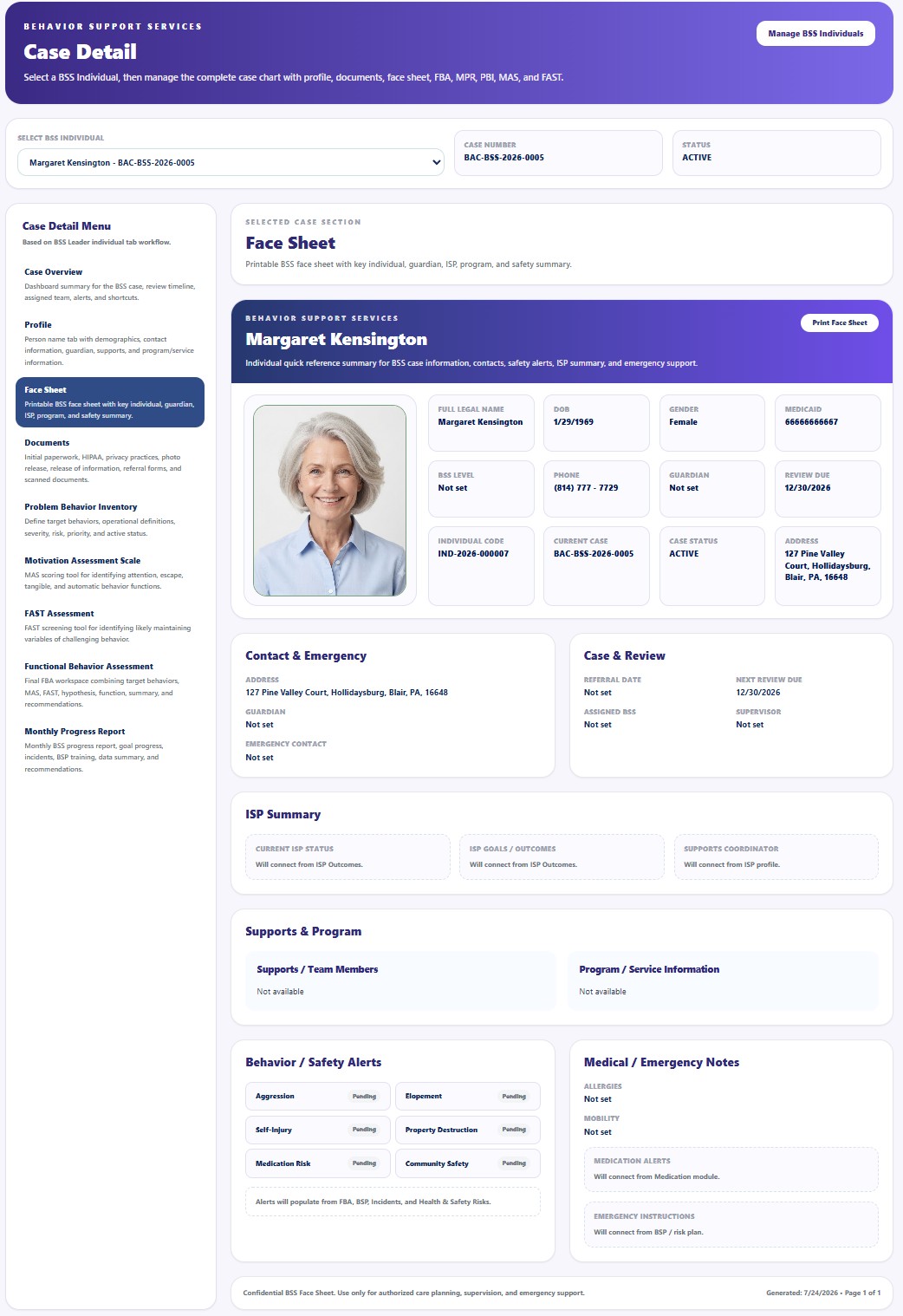
Face Sheet
Printable reference for authorized planning, supervision, and emergency support.
Open guide →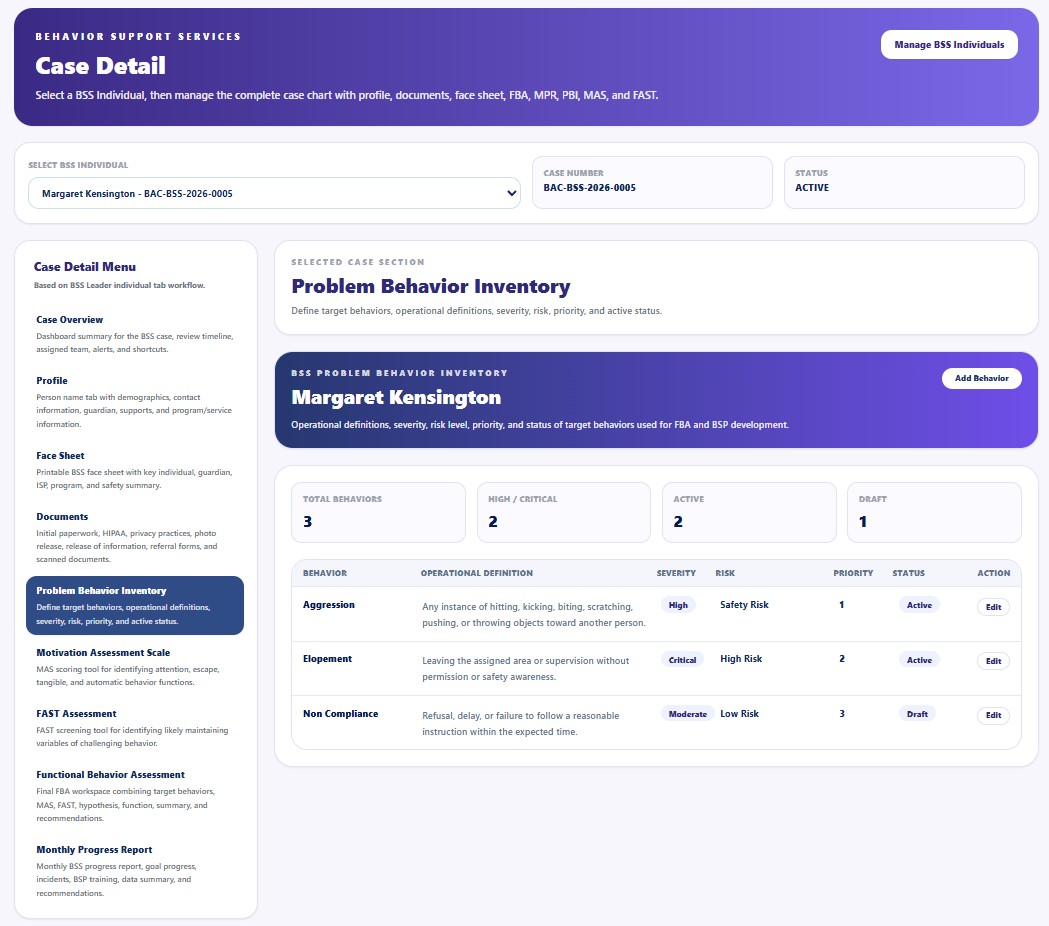
Problem Behavior Inventory
Defines target behaviors and operational risk information used by later assessments.
Open guide →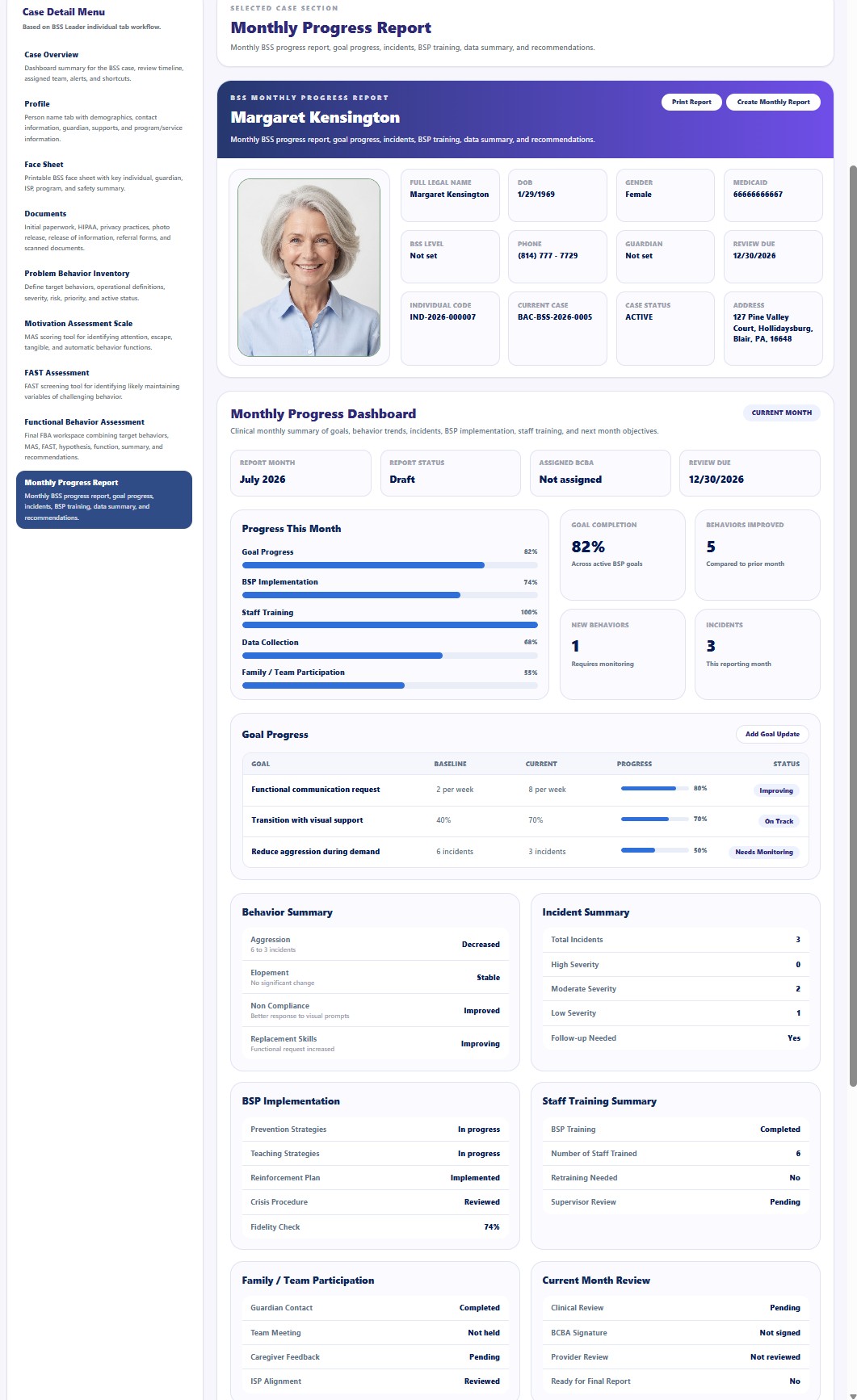
Monthly Progress Report
Summarizes goals, behavior trends, incidents, training, and recommendations.
Open guide →General BSS Workflow
Add the approved Individual to the Provider's BSS caseload.
Review profile, face sheet, required documents, and case assignment.
Document target behaviors and authorized assessment information.
Complete Daily Log, Supervisor Review, Billing Review, and monthly progress reporting.
Restricted Clinical and Operational Detail
The public documentation does not publish the complete decision process for behavioral assessment interpretation, behavior-function determination, clinical hypothesis, crisis response, restrictive intervention review, supervision standards, billing validation, correction workflows, or Provider-specific escalation procedures.
These workflows are reserved for direct implementation and training sessions with official Provider customers and their authorized BSS professionals.
Direct Provider Training Scope
- BSS case setup, assignment, level, status, and review cycle
- Profile, face sheet, and required document completion
- Problem behavior definitions, severity, risk, and priority
- MAS and FAST administration and documentation
- Functional Behavior Assessment workflow
- ABC data, observation, hypothesis, and function summary
- BSP implementation and fidelity review
- Daily billable and non-billable service documentation
- Supervisor review, corrections, approval, and locking
- Billing readiness and approved-unit workflows
- Monthly progress reporting and recommendation review
- HIPAA, access control, audit logs, and secure document handling
Security and HIPAA
- Access BSS records only for an approved clinical or operational purpose.
- Verify the correct Provider, Individual, and BSS case before viewing or entering information.
- Use the minimum necessary information for the assigned task.
- Do not share behavioral, clinical, incident, assessment, or document screenshots through unapproved channels.
- Restrict assessment interpretation and clinical recommendations to properly authorized personnel.
- Protect uploaded documents, signatures, family information, safety alerts, and case notes.
- Record access, changes, approvals, deletions, exports, and administrative actions through Audit Logs where applicable.