
REPORTS • AWAKE MONITORING
Awake Report
Audit awake-required visits, reminder events, DSP confirmations, visit timing, event history, and final compliance status.
Reports shown in this guide may contain Protected Health Information (PHI). True Care System intentionally masks or removes real names, identifiers, contact information, signatures, and other sensitive values from screenshots. Any information that remains visible may be demonstration data created only for training and documentation.
Purpose
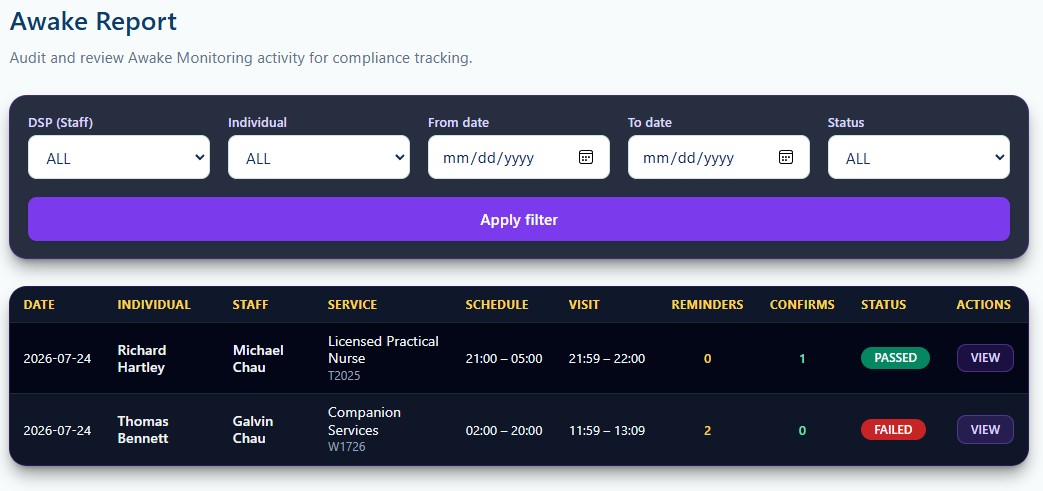
The Awake Report provides an audit view of visits that require Awake Monitoring. It supports review of the assigned DSP, Individual, service, scheduled time, actual visit time, reminder count, confirmation count, and final Passed or Failed status.
Awake Report List
Filters and Result Fields
| Field | General Use |
|---|---|
| DSP / Individual | Limits results to the selected staff member or Individual. |
| From / To date | Defines the Awake Monitoring review period. |
| Status | Limits results by final monitoring status. |
| Schedule / Visit | Compares the scheduled shift with the actual recorded visit. |
| Reminders / Confirms | Shows how many reminder and awake-confirmation events were recorded. |
| Passed / Failed | Shows the final monitoring result produced by the workflow. |
Awake Report Detail and Print View
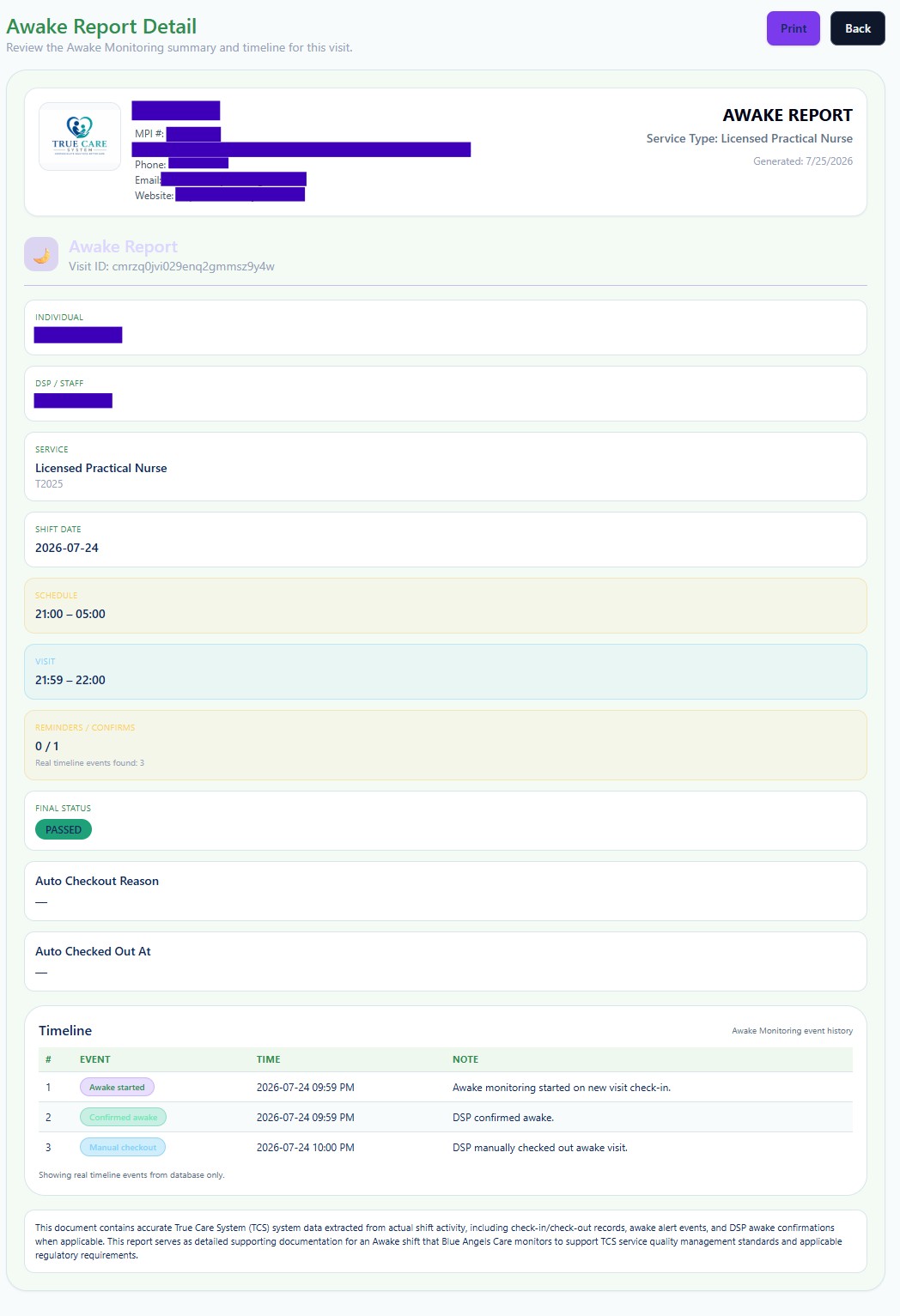
The detailed report identifies the Individual, DSP, service, shift date, scheduled period, actual visit period, reminders, confirmations, final status, auto-checkout information when applicable, and the saved Awake Monitoring timeline.
The timeline may show events such as monitoring started, DSP confirmed awake, manual checkout, or automatic checkout. The report should be interpreted together with the visit record and the Provider's awake-shift policy.
Review Checklist
- Confirm awake-required service.
Verify that the visit was correctly identified as requiring Awake Monitoring. - Compare scheduled and actual time.
Review the start and end of the scheduled shift and recorded visit. - Review monitoring events.
Confirm reminders, DSP confirmations, checkout activity, and timeline sequence. - Review final status.
Investigate failed or incomplete activity according to Provider policy.
HIPAA, Security, and Proprietary Workflow
Access to report data must follow the Provider's role-based access, minimum-necessary, privacy, retention, and disclosure procedures. Users should verify the Provider, Individual, employee, date range, and record before printing, exporting, or sharing any report.
True Care System does not publicly disclose every audit correlation, escalation rule, investigation control, exception-handling process, or proprietary workflow. Advanced operating procedures are provided during direct training for authorized personnel of Providers that are official True Care System customers.