
REPORTS • INCIDENT MANAGEMENT
Health & Incident
Review submitted incidents, complete supervisor review, assign a Certified Investigator, document findings, upload evidence, and close the case.
Reports shown in this guide may contain Protected Health Information (PHI). True Care System intentionally masks or removes real names, identifiers, contact information, signatures, and other sensitive values from screenshots. Any information that remains visible may be demonstration data created only for training and documentation.
Purpose
The Health & Incident workflow preserves the original DSP report while supporting supervisory review, Certified Investigator assignment, investigation findings, supporting evidence, timeline history, administrative closure, and printable case documentation.
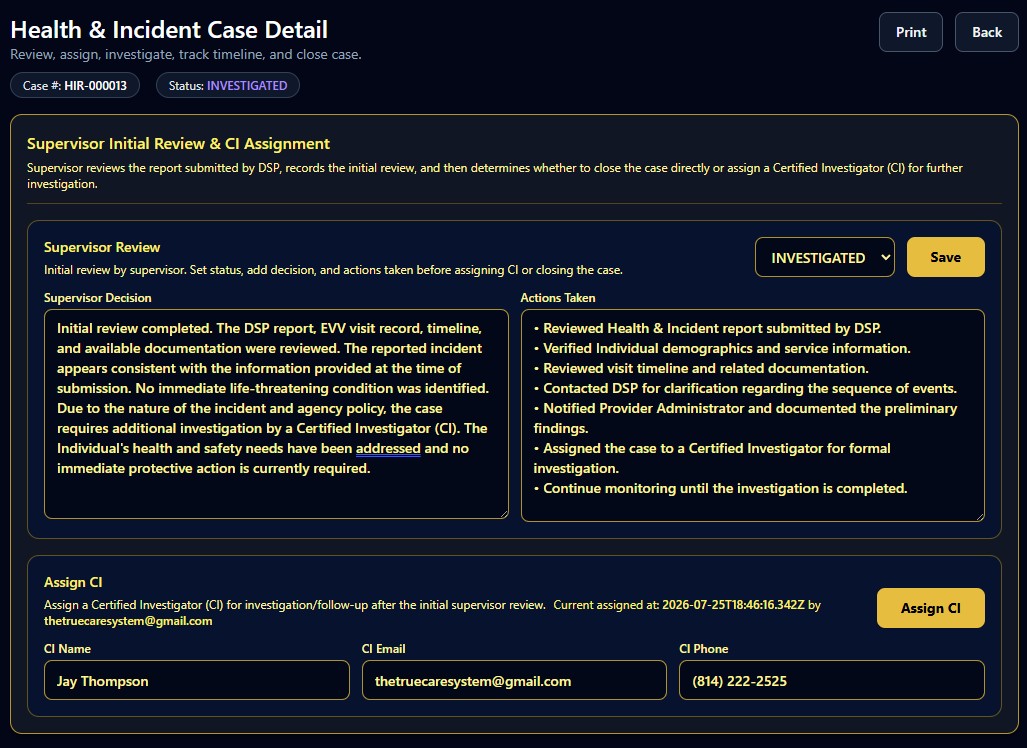
1. Supervisor Initial Review and CI Assignment
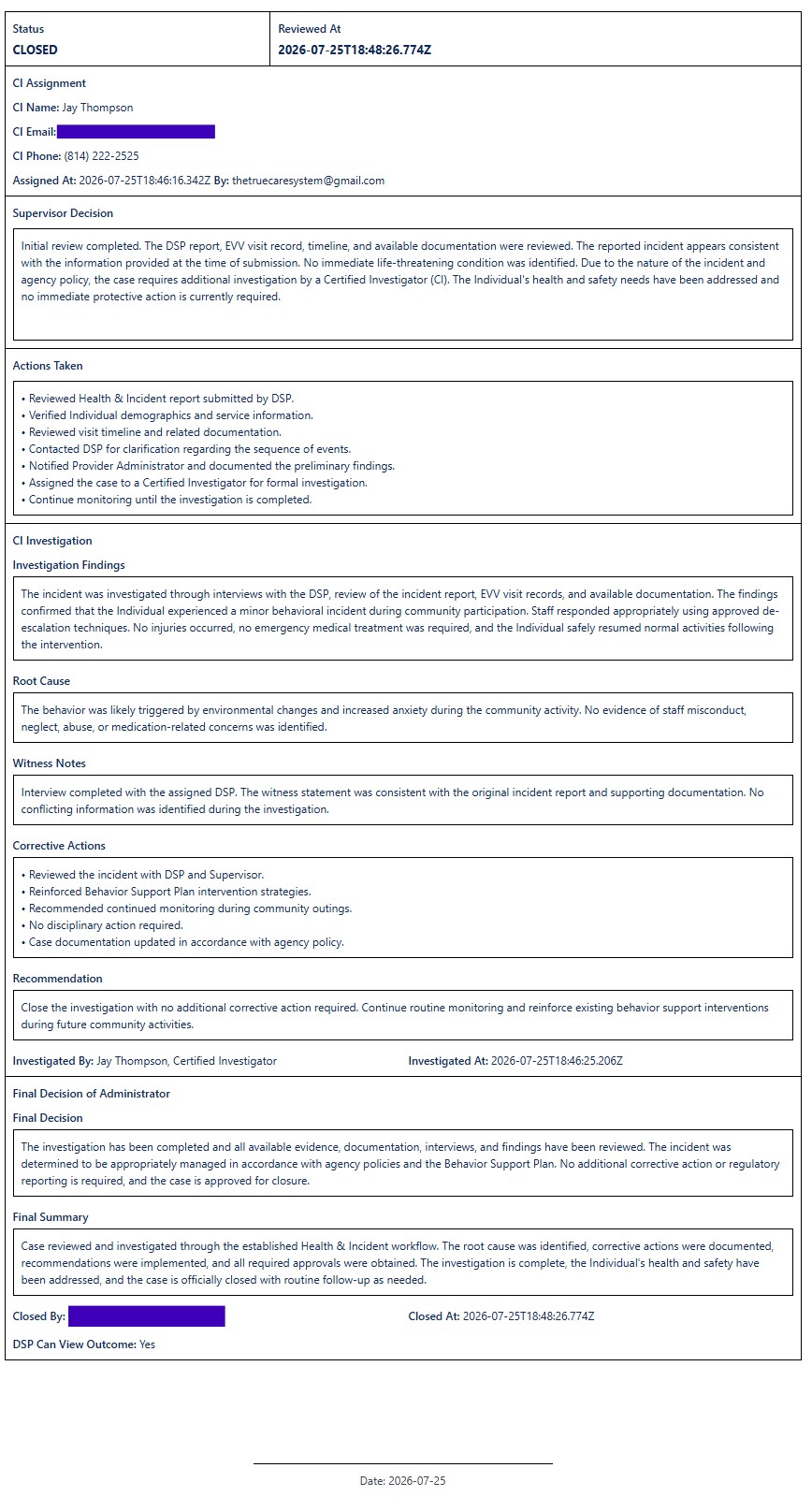
The supervisor reviews the DSP report, related EVV record, timeline, available documentation, Individual information, and immediate health or safety needs. The supervisor records the decision, actions taken, and current status before determining whether the case may be closed or requires a Certified Investigator.
2. Certified Investigator Review
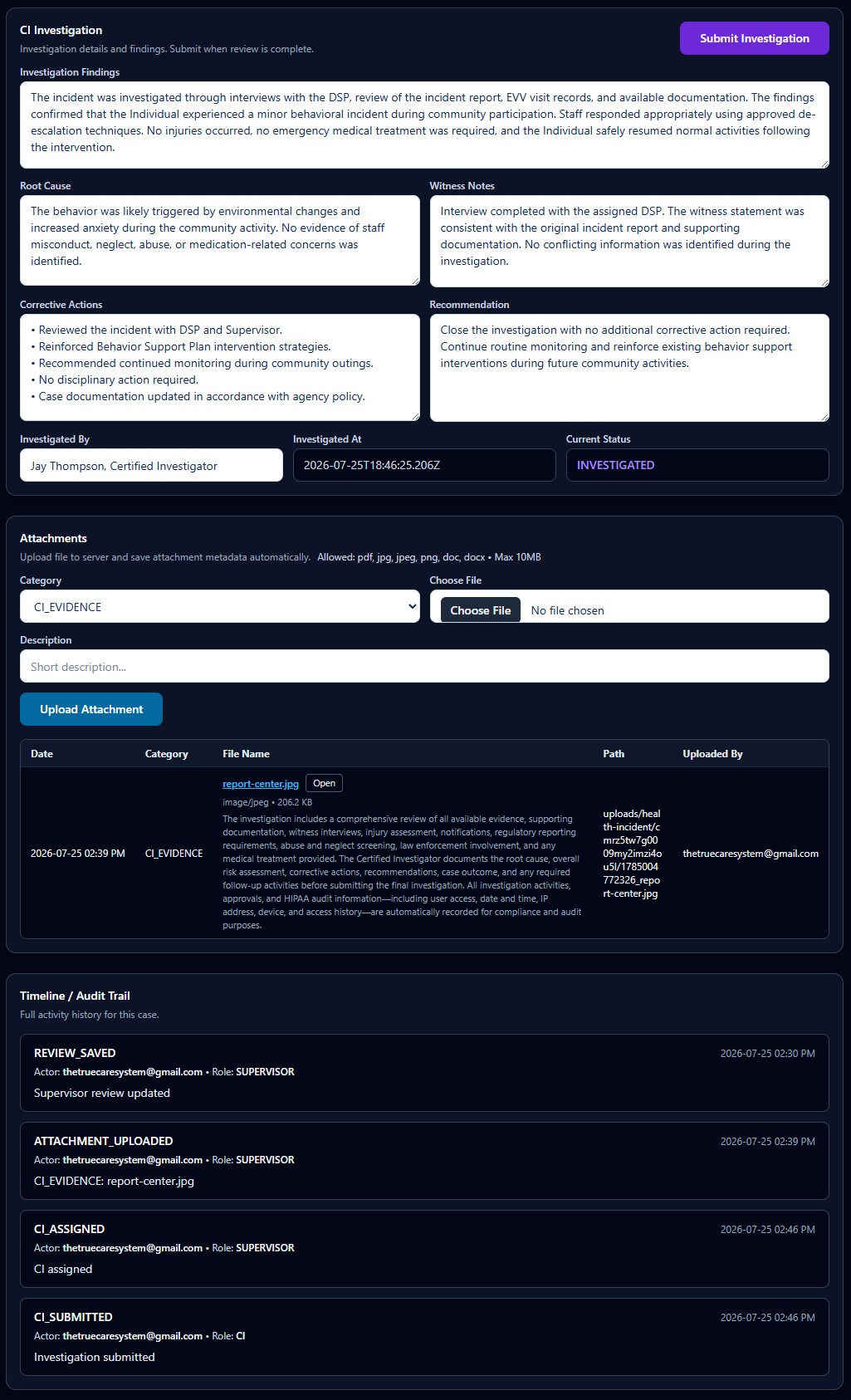
The CI Investigation area supports formal documentation of the investigation. It includes investigation findings, root cause, witness notes, corrective actions, recommendations, the investigator's identity, investigation date, and current case status.
The investigation may consider evidence reviewed, persons interviewed, injury assessment, notification history, regulatory reporting requirements, abuse or neglect screening, law-enforcement involvement, medical treatment, risk level, case outcome, follow-up due dates, supervisor approval, QA or Compliance review, and HIPAA audit information.
3. Attachments and Audit Trail
Stores supporting files with category, description, file name, path, uploader, and upload date.
Records major actions such as review saved, attachment uploaded, CI assigned, and investigation submitted.
Preserves the user, role, date, and action associated with the case workflow.
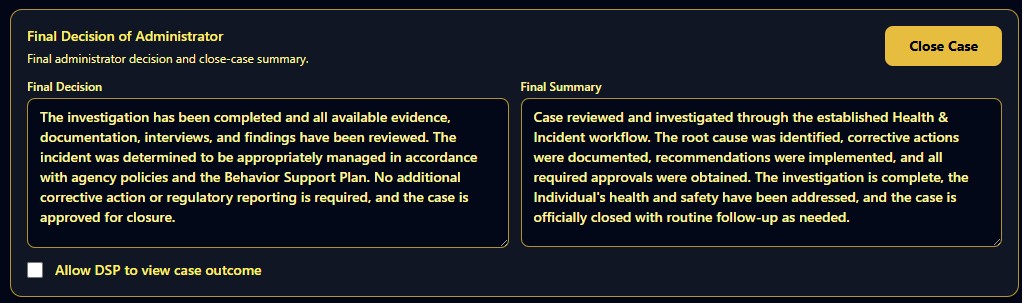
4. Final Decision of Administrator
After the investigation is complete, the administrator records the final decision and final summary, determines whether the DSP may view the outcome, and closes the case when all required review and approval steps are complete.
5. Printed Health & Incident Report
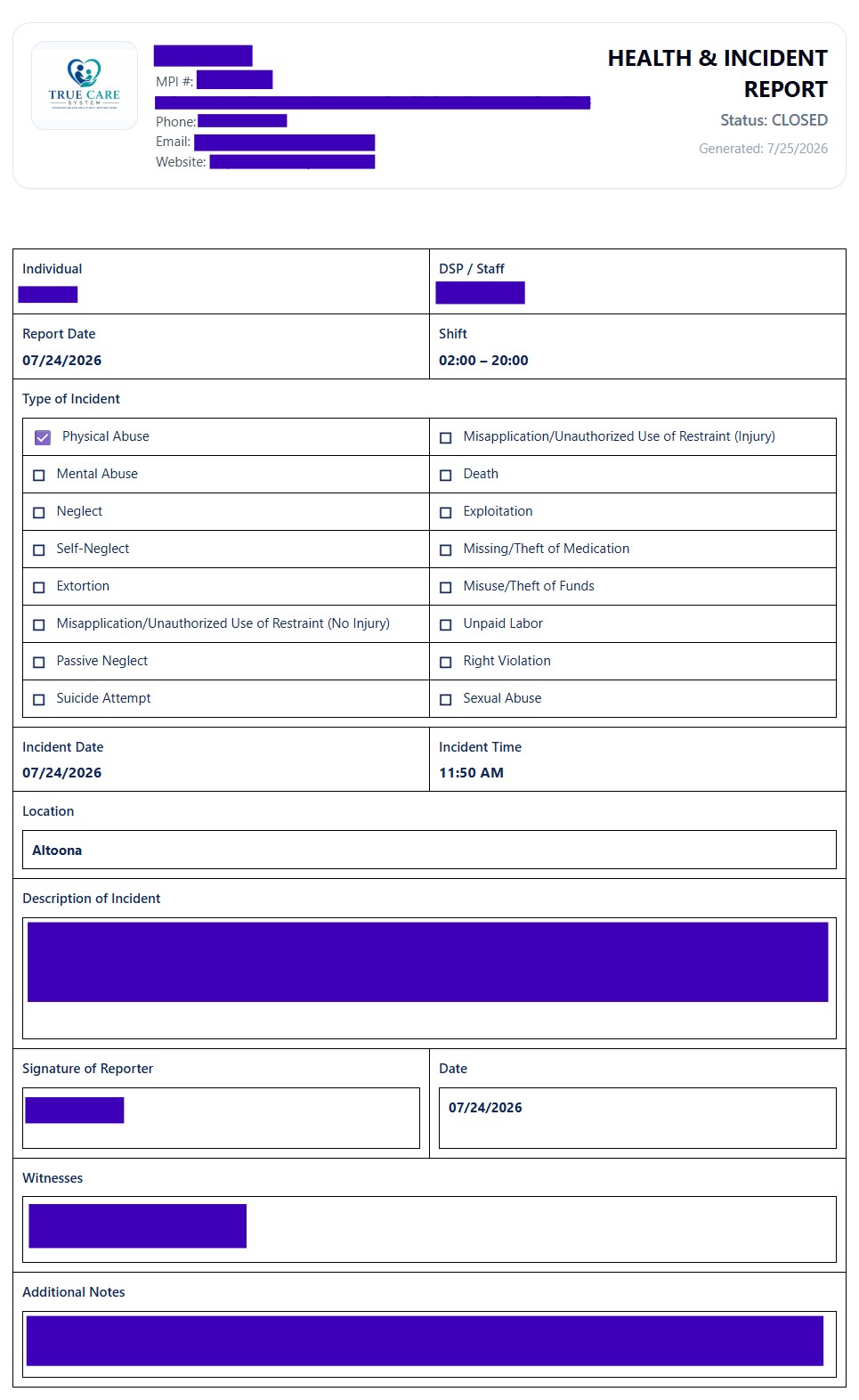
The printable report consolidates the original incident, selected incident type, date, time, location, description, reporter, witnesses, notes, supervisor decision, actions taken, CI findings, corrective actions, recommendation, administrator decision, closure information, and approval history.
Case Workflow Summary
- Review original submission.
Confirm incident details and immediate health or safety action. - Save supervisor determination.
Document decision, actions, and status. - Assign CI when required.
Preserve assignment information and date. - Complete investigation.
Document evidence, findings, root cause, corrective action, and recommendation. - Complete administrative closure.
Record final decision, summary, approvals, and case visibility.
HIPAA, Security, and Proprietary Workflow
Access to report data must follow the Provider's role-based access, minimum-necessary, privacy, retention, and disclosure procedures. Users should verify the Provider, Individual, employee, date range, and record before printing, exporting, or sharing any report.
True Care System does not publicly disclose every audit correlation, escalation rule, investigation control, exception-handling process, or proprietary workflow. Advanced operating procedures are provided during direct training for authorized personnel of Providers that are official True Care System customers.