FILTERING AND INVESTIGATION
Searching Audit Logs
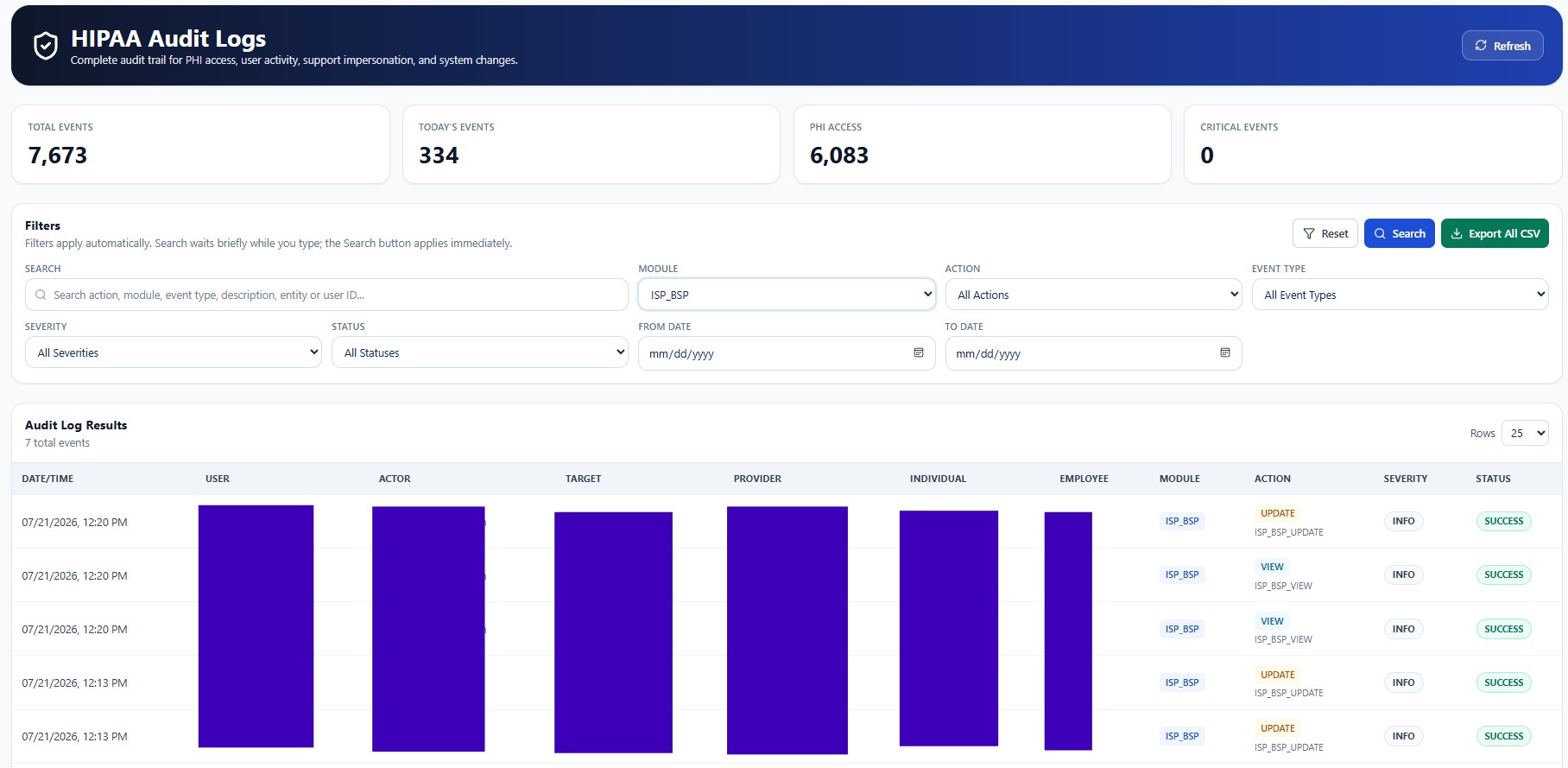
Use filters, date ranges, actions, modules, status, severity, and keyword search.
Audit records may contain workforce identities, Provider identifiers, Individual references, IP addresses, device details, routes, request metadata, support-session identifiers, and before-and-after values. Screenshots in this public guide use redacted or demonstration information. Production access must remain Provider-scoped, role-based, purpose-limited, and restricted to authorized personnel.
True Care System records audit evidence to support accountability, privacy review, security investigation, operational integrity, and Provider governance. These capabilities support—but do not replace—the Provider's policies, workforce training, risk analysis, legal obligations, incident response, and retention program.
Purpose
Audit search tools help reviewers narrow large event volumes to the evidence relevant to an investigation, internal review, complaint, security event, or compliance inquiry.
Search Controls
| Field | Function |
|---|---|
| Keyword | Searches action, module, event type, description, entity, user ID, route, or another indexed value. |
| Module | Limits results to a functional area such as Individual, Medication, BSS, Schedule, Billing, Reports, Support, or Admin. |
| Action | Filters View, Create, Update, Delete, Export, Login, Impersonation, or another action. |
| Event type | Filters the normalized event classification. |
| Severity | Limits results to informational, warning, error, or critical events. |
| Status | Filters successful, failed, denied, blocked, or review-required events. |
| From / To date | Limits results to a defined investigation period. |
| Rows | Controls the number of records displayed per page. |
Search Strategy
- Start with the narrowest known fact.
Use the exact user, Individual, entity ID, ticket number, or date where available.
- Add module and action filters.
Reduce unrelated events.
- Review status and severity.
Prioritize denied, failed, warning, or critical results.
- Open event details.
Validate context before drawing conclusions.