
REPORTS MANAGEMENT
Reports Center
Central access to operational reporting, service documentation, incident review, awake monitoring, and DSP call-off activity.
Purpose
The Reports Center is the main reporting workspace in True Care System. It gives authorized Provider users access to the report areas currently available from the Reports menu: Daily Notes, Health & Incident, Awake Report, and Call Off Requests.
These reports support daily operations, supervision, compliance review, service documentation, investigation workflows, staffing follow-up, printing, and approved export activities.
Reports Menu
The Reports menu provides direct access to the reporting functions currently available in the system.
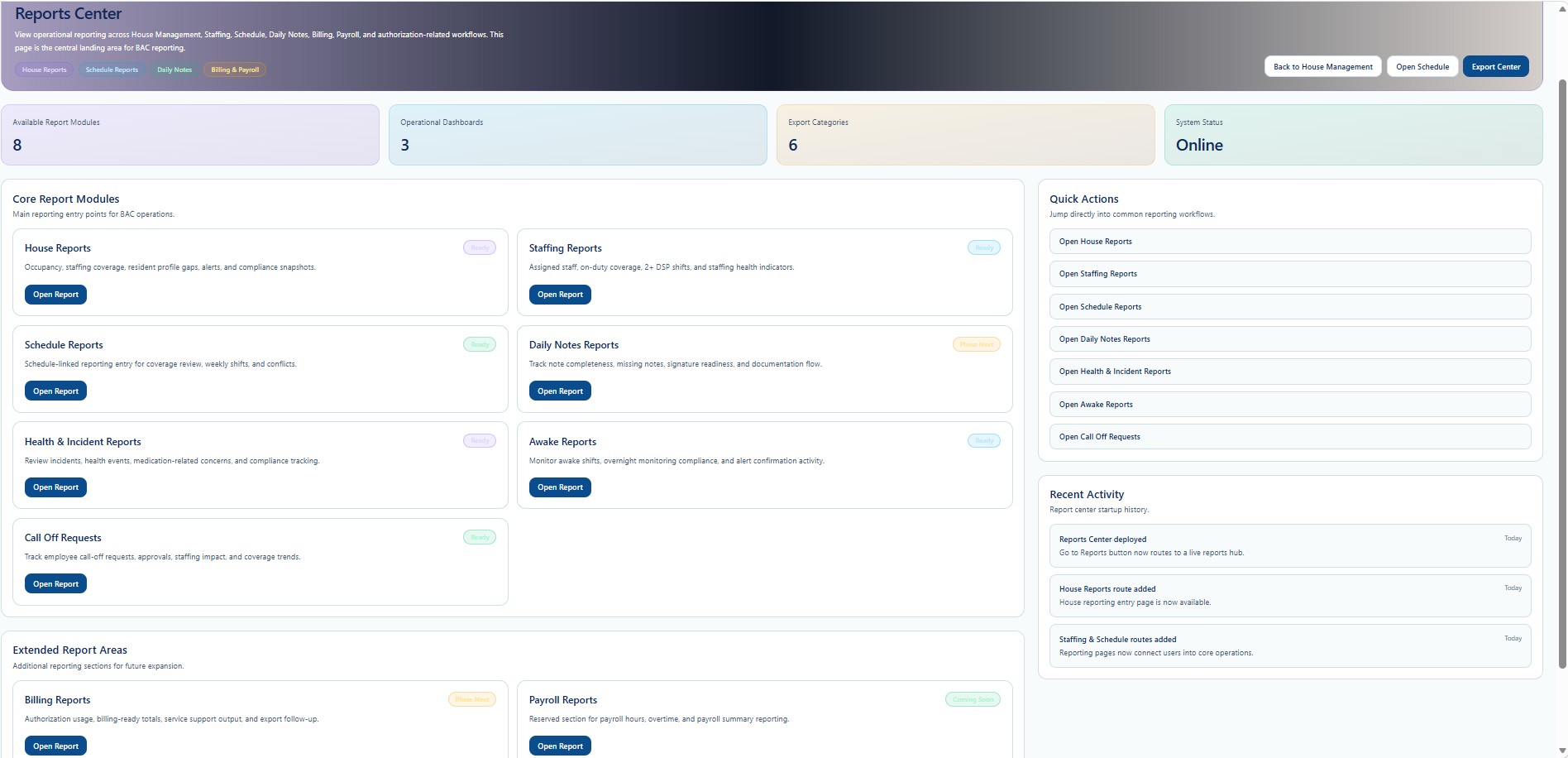
Available Report Modules
| Report Module | General Purpose | Documentation |
|---|---|---|
| Daily Notes | Review Daily Notes submitted from Mobile EVV, inspect service details, and open available DOC or PDF report outputs. | Open guide |
| Health & Incident | Review submitted incidents, complete supervisor review, assign a Certified Investigator, document findings, and close the case. | Open guide |
| Awake Report | Review Awake Monitoring activity, reminder and confirmation counts, visit timing, event history, and final compliance status. | Open guide |
| Call Off Requests | Review DSP call-off submissions, PTO selections, dates, reasons, approval status, and staffing follow-up needs. | Open guide |
Common Report Functions
Use available date, Individual, DSP, status, or report-specific filters.
Open the selected report or case and verify the saved information.
Use only the print or export options shown within the selected report workspace.
HIPAA and Confidentiality
Reports may contain Individual names, service records, clinical details, incident information, signatures, investigation findings, visit history, and other Protected Health Information. Access is limited to authorized users with an appropriate operational purpose.
Users must follow Provider privacy policies, role-based access requirements, minimum-necessary practices, secure printing procedures, and approved record retention rules when viewing or exporting reports.
Report access and related activity may be recorded with the user identity, Provider, date and time, IP address, device information, action, and other audit details required for HIPAA and compliance review.
Training and Restricted Operational Detail
This public documentation explains the report areas visible in the system, but it does not publish every internal decision rule, escalation method, compliance workflow, investigation procedure, data-matching rule, or proprietary reporting process used by True Care System.
Advanced workflow training is provided directly by the True Care System team to authorized Provider personnel after the Provider becomes an official customer and implementation training begins.
Security and Access
Report availability depends on the signed-in user's role, Provider assignment, and configured permissions. Users must not attempt to access, print, export, or share records outside their assigned Provider or job responsibilities.