
AUDITABILITY • ACCOUNTABILITY • EVIDENCE
Audit Logs
Centralized audit evidence for user activity, PHI access, system changes, support sessions, authentication events, and administrative actions.
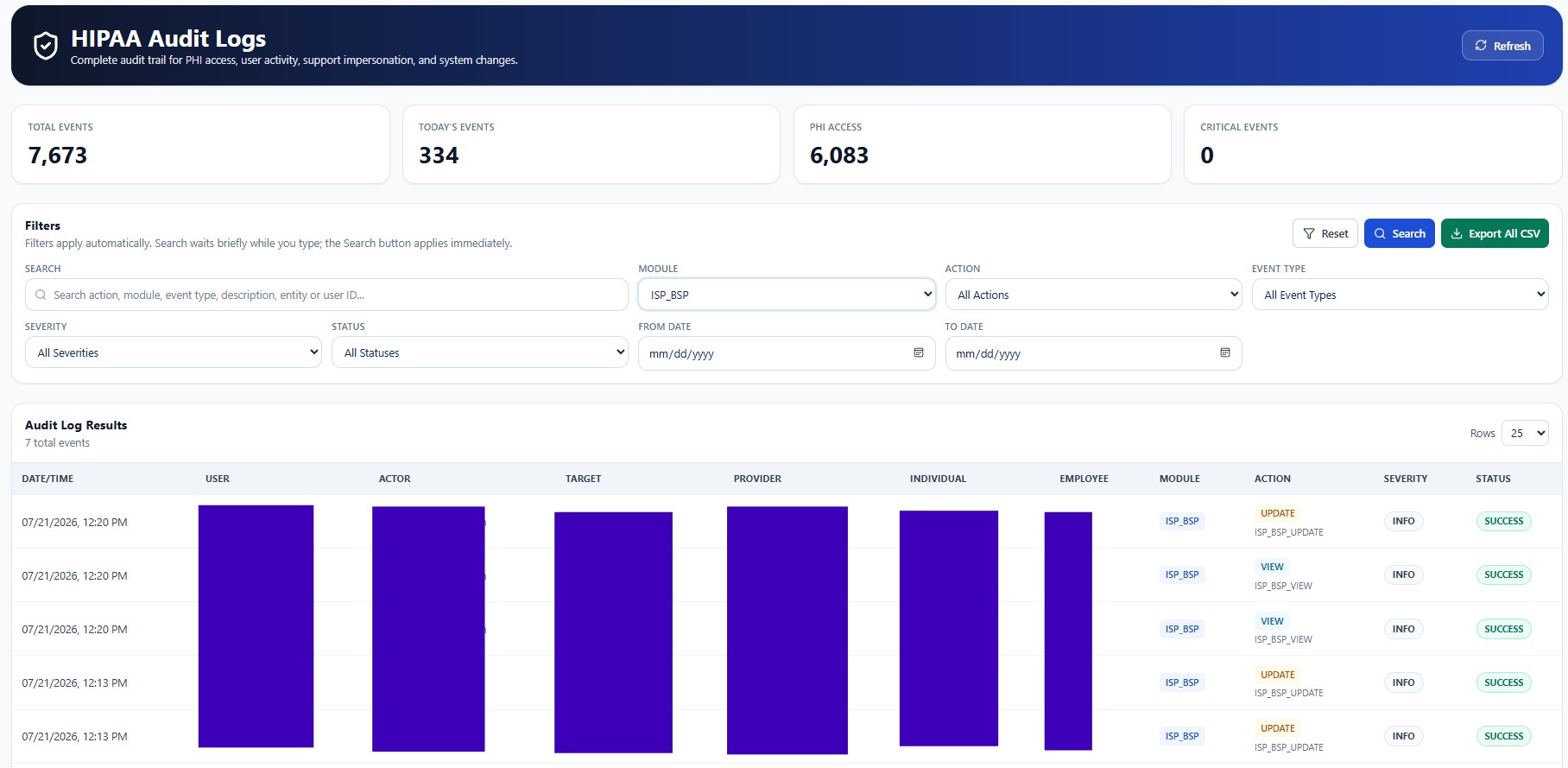
Audit records may contain workforce identities, Provider identifiers, Individual references, IP addresses, device details, routes, request metadata, support-session identifiers, and before-and-after values. Screenshots in this public guide use redacted or demonstration information. Production access must remain Provider-scoped, role-based, purpose-limited, and restricted to authorized personnel.
True Care System records audit evidence to support accountability, privacy review, security investigation, operational integrity, and Provider governance. These capabilities support—but do not replace—the Provider's policies, workforce training, risk analysis, legal obligations, incident response, and retention program.
Purpose
The Audit Logs module gives authorized Provider personnel a structured, searchable history of system activity. It helps reconstruct who performed an action, what record was affected, when the event occurred, which Provider owned the data, and whether the action succeeded, failed, was denied, or requires follow-up.
True Care System separates Audit Logs from operational screens so compliance, security, leadership, and authorized administrators can review evidence without changing the underlying record.
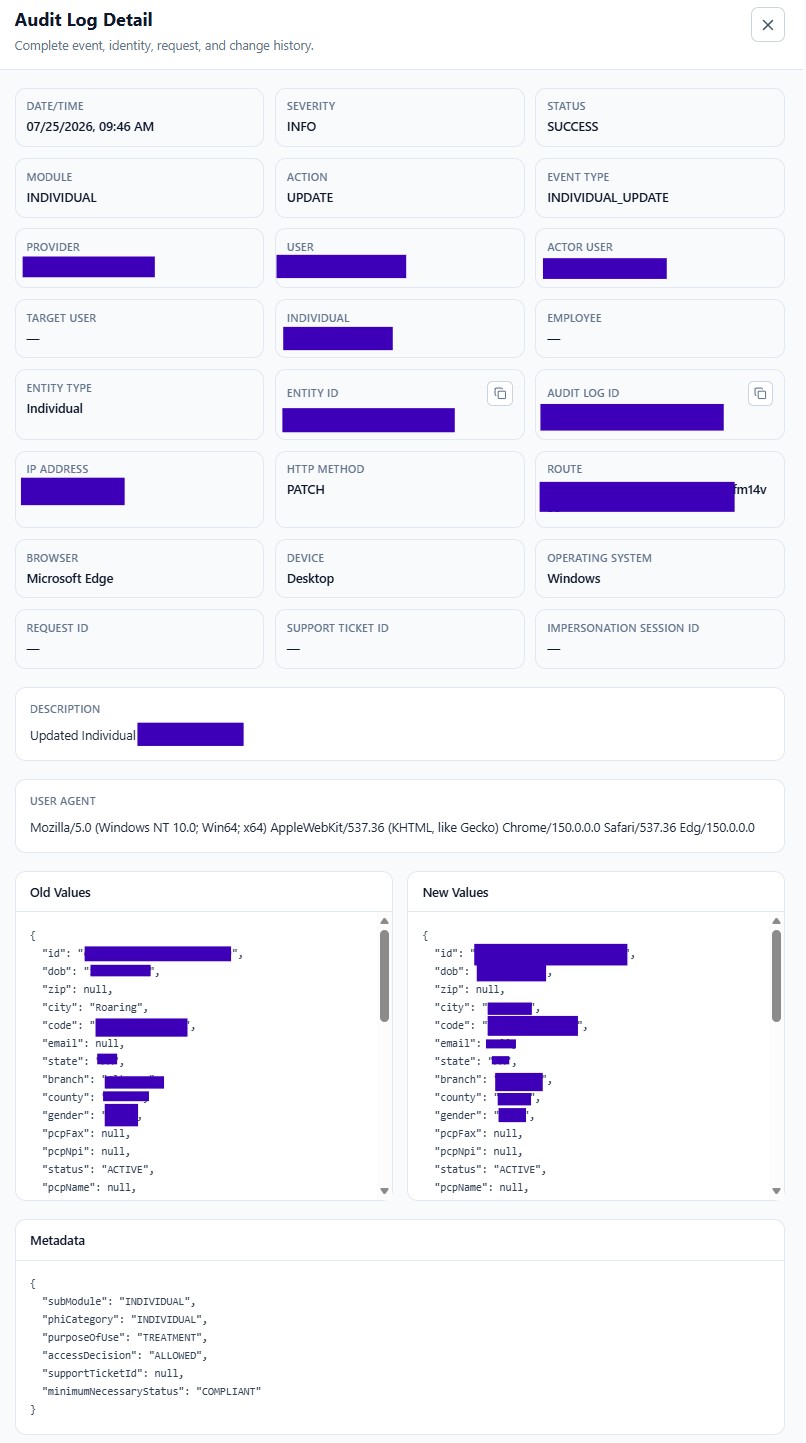
Audit Log Detail
Opening an event reveals its complete evidence package, including event identity, actor and target information, request and device context, old values, new values, metadata, and related support or impersonation identifiers.
Available Workspaces
| Guide | Purpose |
|---|---|
| Overview | Understand the audit architecture, event lifecycle, Provider isolation, and investigation workflow. |
| Login Events | Review successful, failed, blocked, and session-related authentication activity. |
| PHI Access Events | Review access to protected health information by user, Individual, module, purpose, and decision. |
| Create Events | Trace creation of clinical, operational, staffing, billing, and administrative records. |
| Update Events | Compare old and new values and identify who changed a record. |
| Delete Events | Review deletion, deactivation, archival, restoration, and destructive-action evidence. |
| Impersonation Events | Trace approved support access and Login-as-Provider sessions. |
| Searching Audit Logs | Use filters, date ranges, actions, modules, status, severity, and keyword search. |
| Exporting Audit Logs | Export authorized results while preserving accountability and data protection. |
| Audit Retention | Plan retention, archival, access, legal hold, and secure disposal practices. |
| FAQ | Review common questions about access, visibility, exports, evidence, and investigations. |
Recommended Review Sequence
- Define the question.
Identify the event, user, record, date range, or business process under review.
- Apply Provider-scoped filters.
Limit results to the relevant module, action, user, Individual, status, and time period.
- Open the event detail.
Review actor, target, request, device, route, and before-and-after values.
- Correlate related evidence.
Check support tickets, impersonation sessions, login history, PHI access, or operational records.
- Document the outcome.
Close, escalate, preserve, or export evidence according to Provider policy.