
SECURITY • PRIVACY • ACCOUNTABILITY
Support Access and Impersonation
Privacy and public-documentation notice
Security and HIPAA screens may contain workforce identity, Provider information, IP addresses, access history, support-session data, and protected health information. Screenshots in this guide use masked, redacted, or demonstration content. Unmasked content should be treated as authorized demo data only.
Purpose
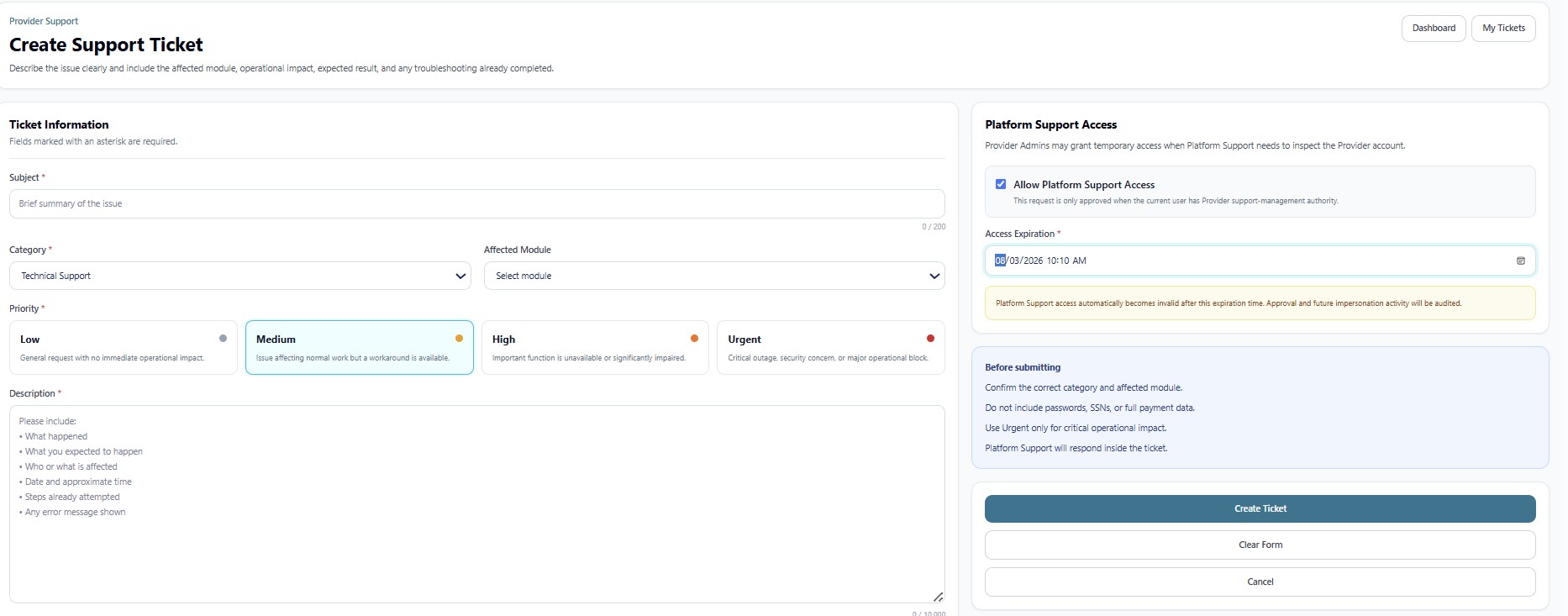
True Care System uses a controlled support workflow so Platform Support does not silently enter a Provider account. Access begins with a Provider-created ticket, an explicit approval choice, an expiration time, and a documented reason.
Controlled Support Sequence
- The Provider creates a ticket and the system assigns a unique ticket number.
- The Provider may allow Platform Support access and selects an expiration time.
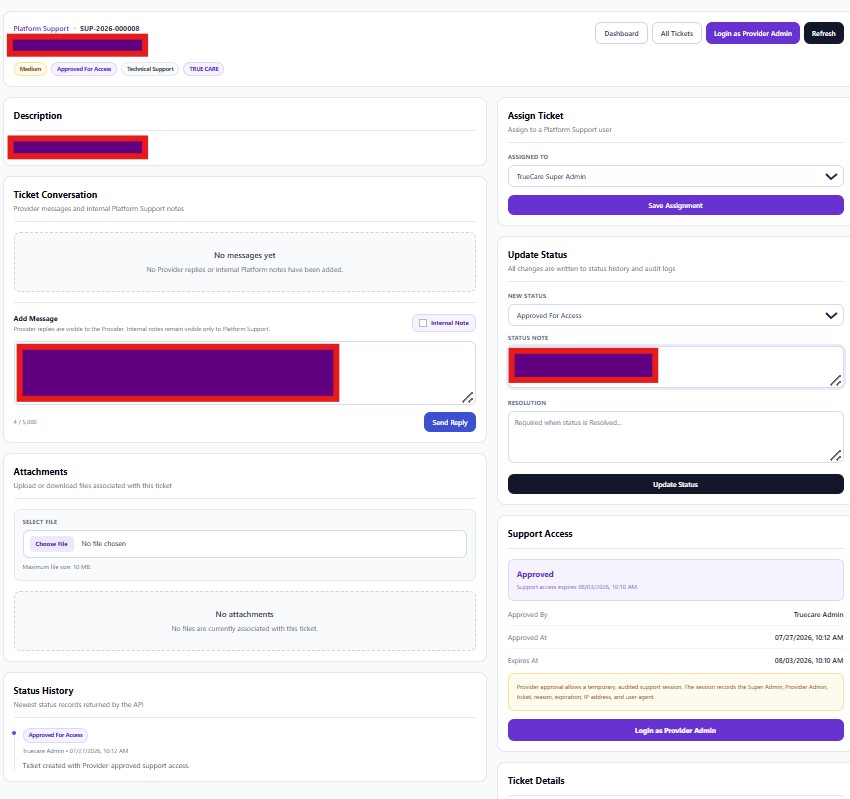
- Platform Support reviews the ticket, assignment, status, conversation, attachments, and approval record.
- An authorized Platform Support user selects Login as Provider Admin.
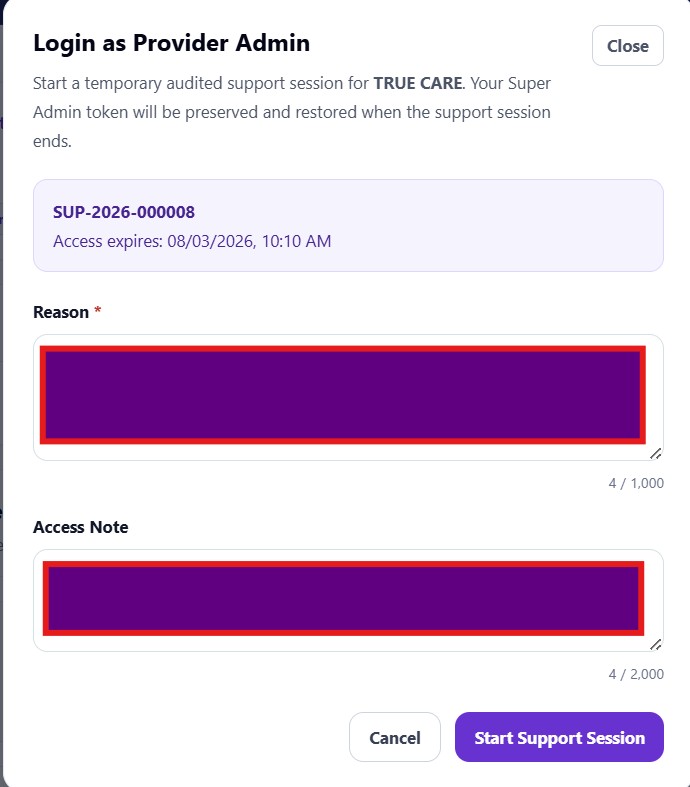
- The support user must enter a reason and may enter an access note.
- The application starts a temporary support session linked to the ticket.
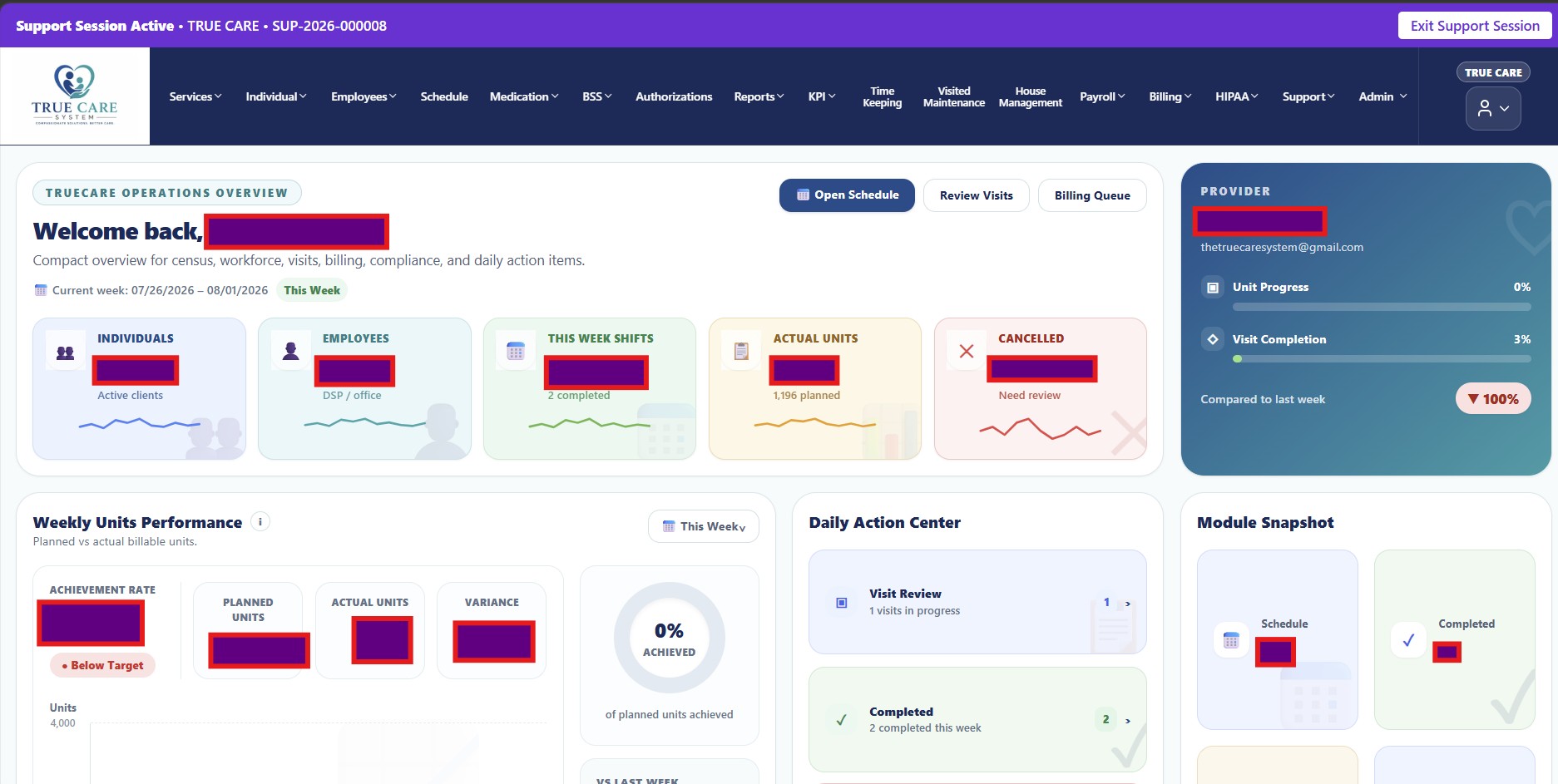
- A visible banner identifies the active Provider and support ticket.
- The support user exits the session or access expires.
Security Benefits
- Provider approval instead of silent administrative entry.
- Automatic expiration of temporary access.
- Ticket-linked purpose and context.
- Visible active-session indicator.
- Audit linkage through support ticket and impersonation session identifiers.