
SUPPORT • OPERATIONS
Support Dashboard
Review support workload, ticket status, priority, access approvals, assignment, and recent activity.
Support tickets may contain PHI, screenshots, operational records, user identities, device details, IP addresses, and troubleshooting evidence. Public screenshots in this guide use redacted or demonstration information. Users must not place passwords, full Social Security numbers, complete payment-card information, or unrelated PHI in a ticket.
True Care System assigns every ticket a unique Provider-scoped ticket number, preserves ticket conversations and attachments, records support-access approval and expiration, and logs each authorized support or impersonation session. The audit trail is designed to show who requested access, who approved it, when access began and ended, which Provider was entered, and what actions were performed during the support session.
Purpose
The Support Dashboard is the operational command center for Provider support. It combines ticket counts, priority monitoring, access-approval visibility, quick actions, and the most recent support activity in one Provider-scoped workspace.
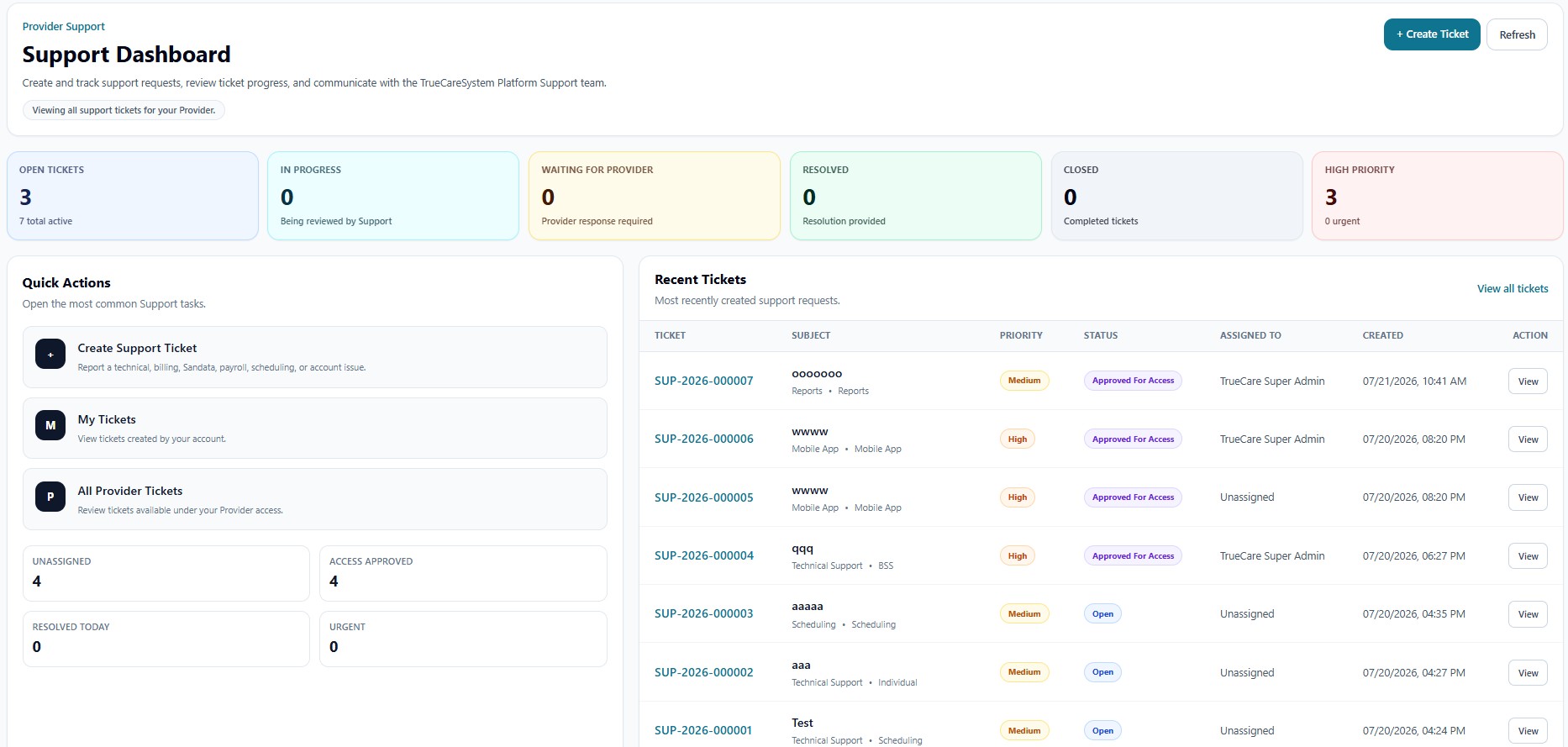
Header Actions
| Action | Function |
|---|---|
| + Create Ticket | Opens the ticket-creation workflow. |
| Refresh | Reloads Provider-scoped ticket statistics and recent activity. |
| Provider scope badge | Confirms that the page is showing tickets available to the current Provider. |
Status and Priority Cards
| Card | Function |
|---|---|
| Open Tickets | Tickets waiting for active work or assignment. |
| In Progress | Tickets currently being reviewed by Platform Support. |
| Waiting for Provider | Tickets requiring information, approval, testing, or confirmation from the Provider. |
| Resolved | Tickets for which a resolution has been provided. |
| Closed | Completed support records retained for history. |
| High Priority | High and urgent matters requiring elevated attention. |
Quick Actions
The dashboard links directly to Create Support Ticket, My Tickets, and All Provider Tickets. Secondary metrics show unassigned tickets, approved support access, tickets resolved today, and urgent issues.
Recent Tickets
The recent-ticket register shows ticket number, subject, category or affected module, priority, status, assignment, creation time, and a View action. Ticket numbers are permanent identifiers used in messages, audit events, attachments, support sessions, and follow-up communications.
Operational Review Practice
- Review urgent and high-priority tickets first.
- Confirm whether temporary support access has been approved and whether it remains valid.
- Assign unassigned tickets to the correct Platform Support owner.
- Use Waiting for Provider only when a specific Provider response is needed.
- Close tickets only after the resolution and access-session history are complete.