
BSS OPERATIONS
BSS Dashboard
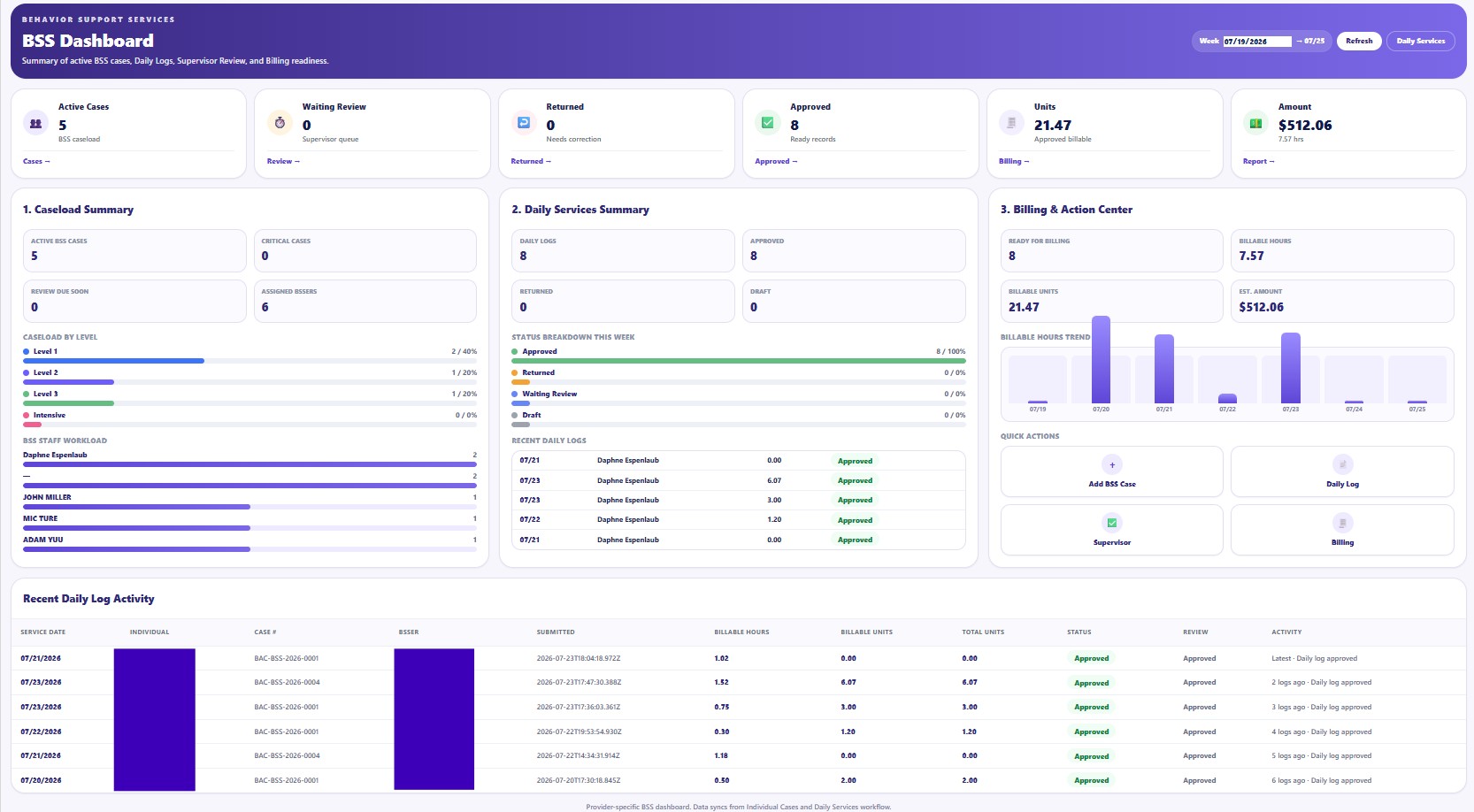
The BSS Dashboard provides a Provider-level summary of active cases, Daily Services activity, supervisor review, approved units, workload, and billing readiness.
BSS information may contain protected behavioral, clinical, safety, family, service, and billing information. Access must follow the Provider's HIPAA policies, role-based permissions, and minimum necessary standard.
Selected advanced workflow rules, assessment logic, supervision procedures, correction paths, and billing controls are intentionally not published in full. Official Provider customers receive direct training from the True Care System team for authorized BSS professionals, supervisors, and administrators.
Screen Overview
Dashboard Areas
Case and Review Summary
Shows active cases, waiting review, returned items, approved records, approved units, and estimated billing amount.
Caseload Summary
Reviews active and critical cases, review dates, assigned BSS staff, and distribution by case level.
Daily Services Summary
Tracks daily logs by status, recent submissions, supervisor outcomes, and work requiring follow-up.
Billing and Action Center
Displays billing-ready records, approved hours and units, estimated amounts, and shortcuts to key BSS workflows.
Recommended Use
- Select the reporting week.
Confirm the current Sunday-through-Saturday period.
- Review exception counts.
Prioritize waiting, returned, overdue, or clinically urgent items.
- Open the related workspace.
Use the dashboard shortcut to open cases, daily logs, supervisor review, or billing review.