
GETTING STARTED
Dashboard
The Dashboard is the main workspace of True Care System. After a successful login, users are automatically redirected to the Dashboard, where they can quickly access modules, daily activities, notifications, and organization-specific information based on their assigned role.
Prerequisites
- Successful login.
- Password has been updated (first-time login only).
- User account is active.
Dashboard Overview
After authentication, the Dashboard is displayed automatically. The available menus, widgets, and information depend on the user's assigned role.
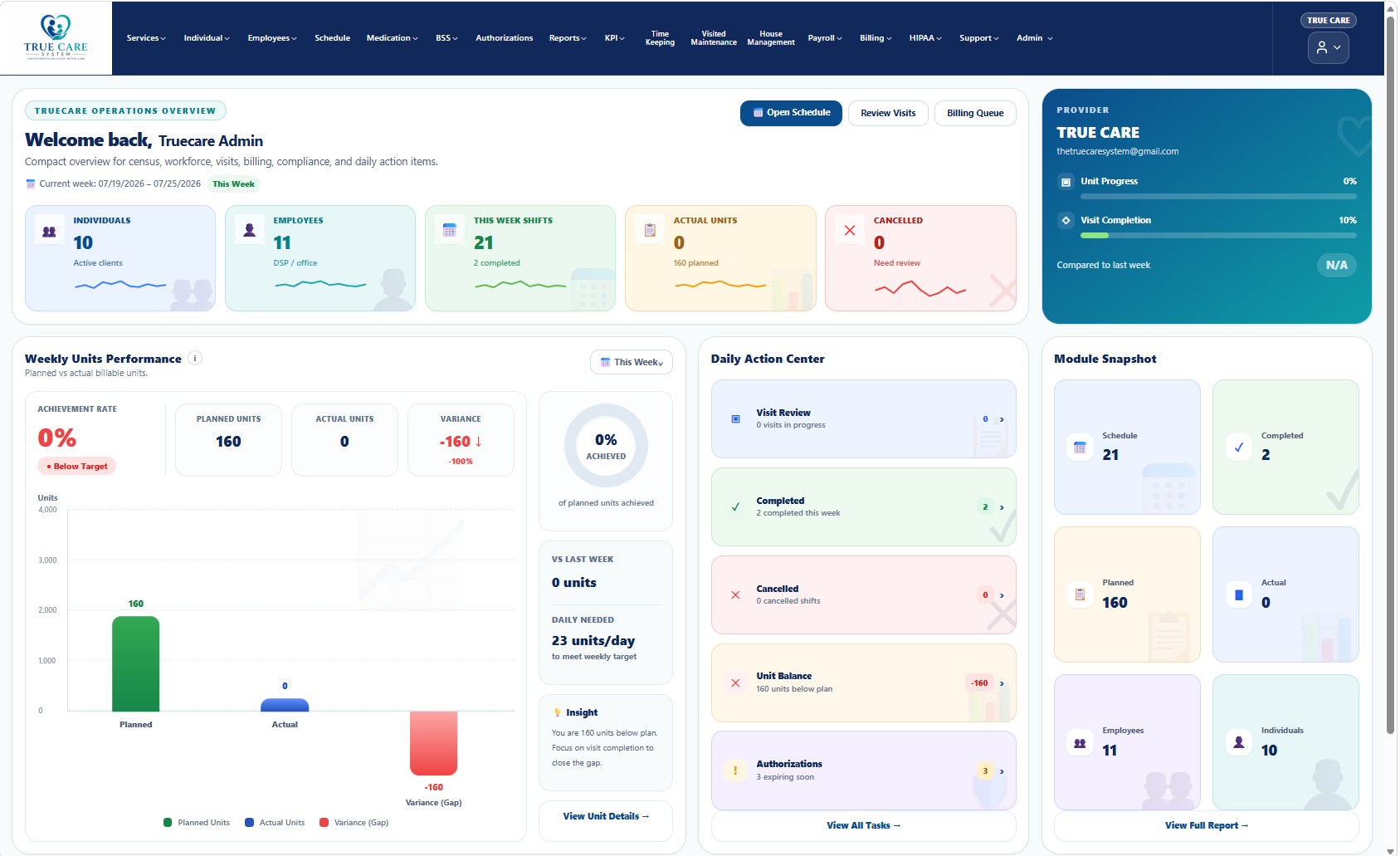
Figure 1. True Care System Dashboard
Main Areas
| Area | Description |
|---|---|
| Top Navigation | Displays the application title, user information, notifications, and account menu. |
| Left Navigation Menu | Provides access to all modules available for the user's role. |
| Dashboard Content | Displays widgets, statistics, reminders, and operational information. |
| User Profile | Displays the logged-in user's information and account options. |
Role-Based Dashboard
The Dashboard automatically adjusts according to the user's assigned role. Different users may see different modules and information.
- Provider Administrator
- Supervisor
- Office Staff
- DSP
- Nurse
- Billing
- Payroll
- Compliance
- Support
- Super Administrator
Common Dashboard Activities
- Navigate to system modules.
- Review daily information.
- Monitor notifications.
- Access reports.
- Manage provider operations.
- Open user profile settings.
Security
- Only authorized users can access the Dashboard.
- Permissions are enforced automatically.
- Sessions expire after inactivity.
- Access attempts are recorded.
HIPAA Considerations
- Never leave the Dashboard unattended.
- Lock your workstation when away.
- Do not expose Protected Health Information (PHI).
- Always sign out before leaving shared computers.
Troubleshooting
- If the Dashboard does not load, refresh the page.
- Verify your internet connection.
- Sign out and sign in again.
- Contact your Provider Administrator if the issue continues.
Frequently Asked Questions
Why do I see different menus than other users?
Dashboard menus are displayed according to your assigned role and permissions.
Can I customize my Dashboard?
Available dashboard options depend on your organization's configuration.
Why can't I access some modules?
Your assigned role may not have permission to access those modules.